

Apr 7, 2026
AI
It is 9:15 AM. A developer opens their laptop, fires up their code editor, and types a half-formed idea into a chat window. Within seconds, a working React component appears — complete with accessibility attributes, error handling, and TypeScript types. They tweak a line, ask a follow-up question, and ship a feature before their morning coffee goes cold.
This is not a futuristic fantasy. This is a Tuesday morning for developers who have embraced AI tools in 2026.
The web development landscape has undergone a seismic shift. AI is no longer a novelty sitting in a separate tab — it is embedded inside editors, design tools, terminals, testing suites, and deployment pipelines. The developers who understand and use these tools are not just more productive — they are operating in an entirely different league.
Whether you are writing your first HTML file or architecting a distributed system, this guide will walk you through every category of AI tool that matters in 2026 — what they do, why they matter, and exactly how to get started. By the end, you will know precisely which tools deserve a place in your workflow.
And if you want to see how these tools translate into real-world AI-powered product development, it is worth exploring TechTose's AI development services — the team there has been building production-grade AI applications long before it became a trend.
Why 2026 Is the Inflection Point for AI + Web Dev
For the past few years, the conversation around AI tools for developers was mainly about code completion — autocomplete on steroids. Helpful, sure. Transformative? Not quite.
But something fundamental shifted. Models got dramatically smarter. Context windows ballooned from 4,000 tokens to over 1 million. Coding assistants started understanding entire codebases, not just the file you had open. Design tools learned to generate production-quality UI from a sentence. And AI agents began autonomously running tests, fixing bugs, and writing documentation without being asked twice.
The numbers tell the story. Studies across enterprise development teams consistently show AI-assisted developers completing tasks 30–55% faster, with measurable improvements in code quality on routine tasks. For startups and solo developers, the productivity delta is even more dramatic — effectively compressing a two-person team into one.
📊 Key Stat: Developers using AI coding assistants in 2026 report shipping features 40% faster on average, with junior developers seeing the largest gains in code quality and confidence.
Understanding this shift is not just about picking the right tools — it is about understanding how the craft of web development is evolving. If you want the broader picture of where AI is heading in the software world, this breakdown of AI-powered mobile app development in 2026 is an excellent companion read.
Quick Reference: Top AI Tools at a Glance
Before we go deep, here is a snapshot of the full ecosystem we will cover:
Tool | Best For | Free Tier? |
|---|---|---|
GitHub Copilot | In-editor code completion & generation | Free (limited) |
Cursor | AI-first IDE, codebase-aware chat | Free tier |
Tabnine | Privacy-focused code suggestions | Free tier |
Vercel v0 | UI generation from text prompts | Free tier |
ChatGPT / Claude | Architecture, debugging, documentation | Free tier |
Codeium | Fast autocomplete, multi-IDE support | Free |
Supermaven | 250k-token context code completion | Free tier |
Warp Terminal | AI-powered command line | Free |
Figma AI | Design-to-code, AI layout suggestions | Paid |
Sentry AI (Autofix) | Automated bug detection & fix suggestions | Free tier |
Mintlify | AI-generated code documentation | Free tier |
AWS CodeWhisperer | Cloud-native code + security scanning | Free (individual) |
Category 1: AI-Powered Code Editors and Assistants
This is where most developers first encounter AI — and for good reason. The editor is where you spend most of your working hours. Augmenting it with AI has the highest immediate return on investment of anything in this list.
1. GitHub Copilot — The Tool That Started It All
Level: Beginner-friendly | Best for: Daily coding across all languages
If AI coding assistants were a country, GitHub Copilot would be its founding father. Launched by GitHub and OpenAI, Copilot sits inside your editor (VS Code, JetBrains, Neovim, and more) and suggests code completions in real-time — sometimes entire functions, sometimes a perfectly placed variable name.
For beginners, Copilot is magic. You write a comment describing what you want — "// function to debounce an input field" — and Copilot writes it. For experienced developers, it is a tireless pair programmer who never gets bored of writing boilerplate.
What it does well:
Real-time inline code suggestions as you type
Copilot Chat — a conversational assistant built into the editor
Workspace-aware context: understands your full project structure
Copilot for Pull Requests: auto-generates PR descriptions and summaries
Security vulnerability scanning baked in
Honest limitations:
Can generate confidently wrong code — always review suggestions
Training data has a knowledge cutoff, so very new libraries may trip it up
Requires active GitHub subscription (free tier available for students and open-source maintainers)
💡 Pro Tip: Use Copilot Chat with the '@workspace' context to ask questions about your entire codebase — 'Why is this API call failing?' works better than you would expect.
2. Cursor — The AI-Native IDE
Level: Intermediate | Best for: Developers who want AI deeply embedded in their workflow
If Copilot is AI added to a traditional editor, Cursor is an editor built from the ground up for the AI age. Built on VS Code (so your extensions and muscle memory transfer), Cursor reimagines what it means to write code with an AI co-pilot.
The standout feature is the Composer — a multi-file editing mode where you describe what you want to build in natural language, and Cursor plans and implements changes across multiple files simultaneously. It is as close to a coding collaborator as any tool currently available.
What makes Cursor different:
Codebase chat: ask questions about any file or function in your project
Composer mode: describe features in plain English, get multi-file diffs
Smart rewrites: highlight code, press Ctrl+K, describe what you want changed
Privacy mode: your code never leaves your machine
Supports Claude, GPT-4, and Gemini as the underlying model
For intermediate developers building real products, Cursor is arguably the most transformative tool on this list. The workflow shift from writing code to directing code is something you have to experience to fully appreciate.
3. Codeium & Supermaven — The Free Powerhouses
Level: Beginner | Best for: Developers on a budget or privacy-conscious teams
Not every team has the budget for Copilot or Cursor subscriptions. Codeium fills that gap as a genuinely free, fast, and capable AI coding assistant with plugins for over 70 editors. It is not just a stripped-down freebie — it is a production-quality tool used by serious developers.
Supermaven deserves a special mention: trained on a massive 250,000-token context window, it is particularly good at understanding large files and suggesting completions that account for context from far earlier in a document — something shorter-context models miss.
Category 2: AI for Debugging, Testing, and Code Quality
Writing code is only half the job. Debugging broken code, writing tests, and catching vulnerabilities often consumes more developer time than the initial implementation. AI tools have gotten remarkably good at all of these.
4. Sentry AI (Autofix) — Bugs That Fix Themselves
Level: Intermediate | Best for: Teams running production applications
Sentry has been the gold standard for error monitoring for years. In 2025 and 2026, they launched Autofix — an AI system that does not just tell you a bug occurred but analyzes the stack trace, traces the error back through your codebase, and proposes a specific code fix.
For production developers, this changes the economics of bug fixing entirely. Instead of spending 45 minutes tracing a cryptic error through five files, you get a proposed fix in seconds. You still review and approve — but the investigative groundwork is done.
Autofix capabilities:
Root cause analysis across multiple files and function calls
Generates a specific code diff you can apply with one click
Integrates with GitHub for direct PR creation
Works with Python, JavaScript, TypeScript, and more
5. Warp Terminal — The AI-Powered Command Line
Level: Beginner to Advanced | Best for: Any developer who uses a terminal
Most developers still use a terminal that looks roughly the same as it did in 1987. Warp changes this completely. It is a modern terminal rebuilt with AI at its core.
The killer feature: you type a plain-English description of what you want to do — "find all files larger than 100MB modified in the last 7 days" — and Warp generates the exact command. For developers who do not live in the terminal all day (and even for those who do), this is a genuine quality-of-life improvement.
Natural language to shell command conversion
Command history that you can search with AI
Collaborative sessions — share terminal output with teammates
Inline AI explanations for any command output
Available on macOS and Linux (Windows in beta)
💡 Beginner Win: Stop Googling 'how to find and replace text in all files in a directory'. Just ask Warp. It will give you the command and explain each flag.
6. AWS CodeWhisperer — Enterprise-Grade AI Coding
Level: Intermediate to Advanced | Best for: Cloud developers and enterprise teams
Amazon's entry into the AI coding space is notable for two things: it is free for individual developers, and it has built-in security scanning that goes beyond basic linting. CodeWhisperer will not just complete your code — it will flag potential security vulnerabilities as you write them, including issues mapped to the OWASP Top 10.
For developers working in AWS ecosystems (Lambda, DynamoDB, S3, etc.), CodeWhisperer has exceptional context for cloud-native patterns. It understands IAM policies, CloudFormation templates, and AWS SDK calls in ways that general models sometimes miss.
Category 3: AI Tools for UI Generation and Design
Frontend development has historically been the most time-consuming part of web development. Translating a design into pixel-perfect, responsive, accessible HTML and CSS is tedious even for experienced engineers. AI tools are rapidly eating into this workload.
7. Vercel v0 — UI Generation from Text
Level: Beginner to Intermediate | Best for: Frontend developers and designers
Vercel v0 is one of the most genuinely impressive AI products built specifically for frontend development. You describe a UI component in natural language — "a pricing table with three tiers, using Tailwind CSS, with a highlighted recommended tier" — and v0 generates working React code with Tailwind classes, complete with proper responsive design.
The output is not pseudo-code or a rough sketch. It is production-ready (or close to it) component code that you can copy into your project and iterate on. For rapid prototyping, wireframing, and MVP development, v0 can compress days of frontend work into hours.
What v0 excels at:
Generating full React/Next.js components from text descriptions
Iterating on designs through conversational follow-up prompts
Supports Tailwind CSS, shadcn/ui, and other popular component libraries
Multi-turn editing: 'make the button larger' and 'add a dark mode toggle' all work
The speed of going from idea to working UI is directly tied to how well you articulate your vision. This connects to a broader point about the value of prompt engineering in your development workflow — a topic we have explored in depth in our guide on fine-tuning vs prompt engineering.
8. Figma AI — Where Design Meets Intelligence
Level: Intermediate | Best for: Designers and developers working closely with design systems
Figma has been the dominant design tool for years, and its AI features are maturing fast. In 2026, Figma AI can generate layout suggestions based on content, auto-apply design system components intelligently, and — perhaps most significantly — help translate design files into structured code outlines.
For developer-designer collaboration, the Dev Mode with AI-powered code suggestions dramatically reduces the interpretation overhead that traditionally slows down frontend implementation. Rather than squinting at a Figma file trying to deduce exact spacing values and component hierarchy, the AI surfaces that information contextually.
🔗 Related Read: How UI/UX design decisions affect product retention and user behaviour — a perspective worth having before you ship anything: techtose.com/latest-insights/the-impact-of-ui-ux-design-on-mobile-app-retention-rates-techtose
Category 4: AI for Documentation, Content, and Developer Productivity
Good documentation is the most systematically neglected part of software development. It takes time, it is not exciting, and it rarely makes a sprint deadline. AI tools are finally making this less painful.
9. Mintlify — Documentation That Writes Itself
Level: Beginner | Best for: Any developer who hates writing docs
Mintlify does something beautifully simple: it reads your code and writes documentation for it. Point it at a function, a class, or an API endpoint, and it generates a human-readable explanation with parameter descriptions, return value documentation, and usage examples.
The generated documentation is not just for your team — Mintlify can publish beautiful documentation sites that integrate seamlessly with your codebase. For open-source projects or developer-facing products, this is a significant time saver.
10. ChatGPT / Claude as a Development Partner
Level: All levels | Best for: Architecture, problem-solving, learning
It might seem obvious to list ChatGPT and Claude here, but many developers dramatically underuse these tools. They use them for simple code snippets when they should be using them as a senior engineering partner.
The highest-value applications are not code generation — they are the conversations that precede and surround it: discussing architectural trade-offs, reviewing a proposed data model, explaining why a regex is or is not the right tool, generating comprehensive test cases, and writing clear error messages your users will actually understand.
High-value prompting patterns for developers:
'Review this function for edge cases and potential security vulnerabilities'
'I need to design a schema for X. Here are my constraints. What are three approaches and their trade-offs?'
'Explain this stack trace to me like I have never seen this error before'
'Write ten meaningful unit tests for this function, including edge cases'
'This API is slow. Here is the query. What are three optimisation strategies?'
These conversational patterns are a form of prompt engineering — and mastering them is genuinely one of the highest-ROI skills a developer can develop right now. The same principles that make AI tools more useful in chat also apply to how you write system prompts for AI features in your own products — a topic deeply covered in our guide on AI agents and business automation.
Category 5: AI Frameworks — For Developers Building AI-Powered Apps
This section is for developers who are not just using AI tools but building products that have AI capabilities inside them. This is where things get genuinely exciting — and where the gap between beginner and advanced starts to widen.
11. LangChain and LlamaIndex — The Backbone of AI Apps
Level: Intermediate to Advanced | Best for: Building RAG systems, chatbots, and AI agents
If you are building a product that involves language models — a chatbot, a document Q&A system, an AI-powered search feature, or any kind of agent — you will likely encounter LangChain or LlamaIndex. Both are orchestration frameworks that handle the plumbing between your application and the underlying LLM.
LangChain is a broad framework for chaining AI calls, managing memory, building agents, and integrating with dozens of data sources and tools. LlamaIndex is more specialised, particularly strong for building retrieval-augmented generation (RAG) pipelines where you want an AI to answer questions about your own documents.
Choosing between the two is a decision that depends heavily on your use case — a detailed comparison is available in our LangChain vs LlamaIndex guide.
Key use cases:
RAG systems: chat with your own documents, PDFs, databases
AI agents that can browse the web, run code, or call APIs
Multi-step AI pipelines with memory and context management
Connecting LLMs to your existing databases and internal tools
12. Vercel AI SDK — AI in Your Next.js App in Minutes
Level: Intermediate | Best for: JavaScript/TypeScript developers building web AI features
For web developers working in the Next.js and React ecosystem, Vercel's AI SDK is the fastest path from zero to a working AI feature. It handles streaming responses, multi-provider support (OpenAI, Anthropic, Google, and more), and React hooks that make integrating chat interfaces and generative UI feel like writing normal frontend code.
The SDK abstracts away the API boilerplate so you can focus on what your AI feature actually does, not how it connects to the underlying model. For developers building AI-powered web apps, this is the starting point.
13. Hugging Face Transformers — Open Source AI at Your Fingertips
Level: Advanced | Best for: Developers who want control over models and custom deployments
Hugging Face is the GitHub of machine learning — a platform hosting tens of thousands of open-source models that you can download, run locally, fine-tune, and deploy. For web developers who want to build AI features without depending on closed API providers, Hugging Face is the alternative.
Running a model locally eliminates API costs at scale, keeps user data private, and gives you fine-tuning control. The trade-off is infrastructure complexity — you are responsible for serving the model, handling concurrency, and managing GPU resources. For the right use case, it is absolutely worth it.
🔗 Deep Dive: Understand how different types of AI models fit into the broader landscape before choosing your stack — our guide on Agentic AI vs LLM vs Generative AI breaks this down clearly: techtose.com/latest-insights/agentic-ai-vs-llm-vs-generative-ai-understanding-the-key-differences
Category 6: AI Tools for Deployment, DevOps, and Performance
Shipping code is only the beginning. Keeping it running, secure, and performant is a discipline of its own. AI is making inroads here too.
14. Tabnine Enterprise — Team-Level AI with Privacy
Level: Intermediate | Best for: Larger dev teams with IP and compliance requirements
While Copilot and Cursor dominate the headlines, Tabnine has carved out a strong position for enterprise teams where data privacy is non-negotiable. Tabnine can be deployed entirely on-premise — your code never reaches an external server. For teams in healthcare, finance, or defence, this is often the only viable option.
The enterprise version also learns from your specific codebase, improving suggestions over time based on your team's patterns and conventions.
15. Netlify and Vercel AI Features — Smart Deployments
Level: Beginner to Intermediate | Best for: Frontend and full-stack web developers
Both Netlify and Vercel have integrated AI capabilities into their deployment platforms in 2026. AI-powered build analysis can flag performance regressions before they reach production. Intelligent caching suggestions analyse your traffic patterns and recommend optimisations. Vercel's Speed Insights now uses AI to prioritise which Core Web Vitals issues have the highest user impact.
For most frontend and full-stack web developers, these platforms represent the fastest path from code to production with AI-augmented quality gates built in. The infrastructure complexity that previously required a dedicated DevOps engineer is increasingly handled by intelligent platform features.
Beyond Tools: Building AI Into Your Own Products
Using AI tools in your development workflow is one thing. Building products that incorporate AI capabilities is a different level of ambition — and one that more developers are pursuing in 2026.
The accessibility of AI APIs means that a solo developer today can build a product with capabilities that would have required a dedicated ML research team five years ago. A customer support chatbot. A document analysis system. A personalised recommendation engine. A natural-language interface to a database. These are all within reach.
The key is understanding the architecture decisions that underpin a production-grade AI feature: when to use RAG versus fine-tuning, how to handle latency, how to make outputs reliable enough for end users, and how to manage costs at scale. These are engineering problems, not just prompting problems.
Understanding how companies are deploying AI at scale gives useful context — for instance, how fintech companies use RAG for customer personalisation illustrates the architectural patterns that matter in real production deployments.
If you are ready to build — or want experts to help architect your AI product — TechTose's AI development team has shipped AI-powered applications across fintech, healthtech, e-commerce, and enterprise software.
How to Actually Adopt These Tools (Without Getting Overwhelmed)
Twenty tools is a lot to absorb. Here is a practical adoption roadmap:
Week 1–2: The Foundation Layer
Install GitHub Copilot or Codeium in your editor — commit to using it for two weeks
Switch to Warp Terminal for your day-to-day command line work
Use ChatGPT or Claude for your next debugging session instead of Stack Overflow
Month 1: Deepen the Practice
Explore Cursor for a project — notice how multi-file editing changes your workflow
Try v0 to prototype your next UI component before writing it manually
Set up Sentry with Autofix if you are running a production application
Month 2–3: Build with AI
Implement one AI feature in a project using the Vercel AI SDK or LangChain
Build a simple RAG system over a set of your own documents
Add Mintlify to an existing project and generate documentation for undocumented code
⚠️ Important: Do not adopt every tool simultaneously. The cognitive overhead of switching tools is real. Pick one category at a time, use it until it becomes natural, then layer the next one in.
Advanced Patterns: How Senior Developers Use These Tools Differently
There is a meaningful difference between how beginners and senior developers use AI tools. Beginners ask for code. Seniors ask for options.
The Spec-First Pattern: Before writing a single line of code, senior developers use AI to draft a technical specification for the feature — outlining edge cases, failure modes, data flow, and API contracts. This forces clarity that catches architectural mistakes before they are baked into code.
The Adversarial Review Pattern: After writing code, prompt the AI to attack it — 'What are the security vulnerabilities in this function? What inputs would cause it to fail?' This surfaces issues that a standard code review might miss.
The Documentation-Driven Pattern: Write the documentation for a feature before implementing it. Use AI to help. The act of explaining what a function does before building it clarifies the interface and often reveals design flaws early.
The AI Agent Pipeline: Advanced teams are building internal tools where AI agents autonomously handle repetitive development tasks — running tests, updating dependencies, generating changelogs, and triaging bug reports. This is the next frontier — and it connects directly to the broader shift in how AI agents are transforming business operations.
What to Watch in the Next 12 Months
The tooling landscape is evolving so fast that some of what is written here will look different by 2027. Here are the trends worth tracking:
Agentic development environments — AI that can run tasks autonomously in the background while you focus on higher-level work
Voice-to-code interfaces — describing requirements verbally and having them translated directly into implementation
AI-native testing — test generation that analyses behaviour, not just syntax, and runs continuously in the background
Personalised AI models trained on your own codebase — fine-tuned models that know your conventions, variable naming patterns, and architecture preferences
AI-powered accessibility auditing — real-time analysis of WCAG compliance as you build interfaces
The developers who thrive in this environment will not be those who know the most tools. They will be those who understand what problems AI tools solve, build genuine fluency with a small set of them, and have the engineering judgement to know when AI suggestions are trustworthy and when they need scrutiny.
Conclusion: The New Developer Superpower
There is a line that gets repeated a lot in AI conversations: 'AI will not replace developers. Developers who use AI will replace developers who do not.'
It is a little reductive, but there is real truth in it. The productivity delta between AI-augmented and non-augmented developers is measurable, significant, and growing. The tools we have covered in this guide represent the current frontier of that augmentation.
But here is the perspective that matters more: the goal of all these tools is not to make you write more code faster. It is to give you more time and mental space for the parts of software development that actually require human judgement — system design, understanding user needs, making trade-offs under uncertainty, and building products that genuinely solve problems.
AI handles the mechanical. You handle the meaningful.
Start with one tool. Build the habit. Then layer in the next one. In six months, your workflow will look unrecognisable — in the best possible way.
Ready to build AI-powered products rather than just use AI tools? Connect with the TechTose team — we help ambitious teams turn AI capabilities into real products that ship.
1. Is GitHub Copilot free for developers?
2. What is Cursor IDE and how is it different from VS Code?
3. Which AI tool is best for debugging code?
4. Are there free AI coding tools for beginners?
5. What is LangChain and do I need it as a web developer?

Discover More Insights
Continue learning with our selection of related topics. From AI to web development, find more articles that spark your curiosity.

AI
Jul 31, 2026
How to Build an AI Voice Agent for Real Estate in 2026: Complete Guide
Agents spend enormous time on calls that could be handled automatically: qualifying leads, answering property questions, scheduling viewings, and following up on inquiries that arrive at midnight. An AI voice agent for real estate handles these conversations intelligently, around the clock, without compromising the quality of the interaction. This guide covers how to build one, from concept to production deployment.

AI
Jul 31, 2026
Generative AI for Sales: Use Cases and a Build Roadmap for 2026
Sales has always been a people business. But the administrative burden that surrounds modern sales, the outreach drafting, the CRM updates, the proposal writing, the follow-up sequencing, consumes so much of a salesperson's time that the actual human work of selling is squeezed into the margins. Generative AI for sales is changing this equation dramatically. This guide covers the most valuable use cases, how to prioritize them, and a practical build roadmap for implementing generative AI into your sales operation in 2026.

App Development
Jul 31, 2026
How to Build a Smart Calendar App in 2026: Complete Developer Guide
Building a smart calendar app in 2026 means going beyond storing appointments. It means building a system that actively helps users manage time intelligently. This guide covers the complete development process from concept through launch, including the AI features that separate smart calendars from digital scheduling books.

AI
Jul 30, 2026
Best Generative AI Use Cases for Businesses: A Complete Guide for 2026
This guide covers the best generative AI use cases for businesses in 2026, organized by function, with real examples, implementation guidance, and honest assessment of where the technology delivers genuine value versus where the hype exceeds the reality.

Tech
Jul 30, 2026
Top Features Every Custom CRM Should Have in 2026: The Complete Guide
Most CRM implementations fail not because of the technology but because businesses deploy a system that does not match how their sales team actually works. A custom CRM built with the right features changes everything: pipeline visibility improves, deal velocity increases, and sales managers finally have the data to coach effectively. This guide covers every feature a modern custom CRM needs in 2026, from fundamental contact management to advanced AI-driven sales intelligence.

Jul 29, 2026
How Much Does IT Staff Augmentation Cost in 2026? The Complete Guide
IT staff augmentation has become one of the most strategic workforce decisions technology companies make. Done right, it gives you senior technical talent exactly when you need it, at a fraction of the cost of full-time hiring, without the timeline of a recruitment cycle. Done wrong, it creates coordination problems, quality gaps, and costs that exceed what permanent hiring would have required.

Programming Language
Jul 29, 2026
Enterprise Software Development Services: Why Indian Software Development Agencies Are Leading the World
Enterprise software development is one of the most consequential investments a business makes. Choose the right software development agency and you build competitive infrastructure that scales with you for years. Choose wrong and you spend double to fix what should have been built correctly the first time. This guide covers everything a business leader, CTO, or procurement team needs to know about enterprise software development services, with specific focus on why India has become the world's most trusted destination for building enterprise-grade software.

AI
Jul 28, 2026
Best OCR APIs in 2026: Top 15 OCR APIs Compared for Accuracy, Pricing and Features
OCR APIs have quietly become one of the most critical infrastructure decisions for businesses handling documents at scale. Getting the wrong one costs you accuracy, integration time, ongoing costs, and sometimes the entire workflow it was supposed to automate. This guide compares the 15 best OCR APIs available in 2026, covering accuracy, pricing, supported document types, language support, and which use case each one actually serves best.
Tech
Jul 28, 2026
How Much Does It Cost to Build an MVP in 2026? Complete Guide
Building an MVP is the smartest first move for any product idea. But "how much will it cost" is the question every founder gets wrong before they have done it once. Too many teams either overbuild a product that costs five times what it needed to, or underbuild something so minimal it cannot validate anything real. This guide gives you the honest cost breakdown for MVP development in 2026, with real numbers, industry-specific estimates, and the framework to scope and budget your MVP correctly the first time.

Tech
Jul 27, 2026
How Much Does It Cost to Build a Fintech App? Complete Guide for 2026
The question every founder, enterprise product team, and bank executive asks before starting a fintech app project is the same: how much will this actually cost? The honest answer is more nuanced than any quick estimate can capture. This guide breaks down every cost factor in fintech app development, from basic MVP to enterprise-grade financial platform, with real numbers, India-specific context, and the framework you need to budget accurately for your specific project.

AI
Jul 26, 2026
How to Build an AI-Powered Mobile App: A Complete Guide for 2026
Building a mobile app was already complex. Building one powered by AI adds an entirely new layer of decisions around model selection, data architecture, privacy, and user experience. This guide walks you through the complete process of building an AI-powered mobile app in 2026, from the first product idea through launch and beyond, including how to choose the right mobile app development company to bring your vision to life.

AI
Jul 24, 2026
AI Chatbots vs Conversational AI: What Every Business Needs to Know
Most businesses use the terms AI chatbot and conversational AI interchangeably. They are not the same thing, and choosing the wrong one for your use case costs real money, real customer satisfaction, and real competitive ground. This guide explains the genuine difference between AI chatbots and conversational AI, when each approach makes sense, what the best platforms offer in 2026, and how to make the decision that actually fits your business needs.

Marketing
Jul 25, 2026
Best AI Tools for Digital Marketing 2026: The Complete Guide for Marketers Who Want Results
Every digital marketing team in 2026 is using AI tools. But most are using three tools when they should be using one, ignoring five that would transform their workflow, and paying for two that are not delivering real value. This guide cuts through the noise with an honest, comprehensive breakdown of the best AI tools for digital marketing across every major channel, with real use cases, pricing transparency, and guidance on which tools actually earn their subscription cost.

AI
Jul 24, 2026
Top 10 AI Agent Frameworks Compared: LangChain vs CrewAI vs AutoGen and More (2026)
Choosing the wrong AI agent framework can cost your team months of rework. In 2026, the ecosystem has matured to the point where there are genuine differences between frameworks that matter enormously depending on what you are building. This guide compares the top 10 AI agent frameworks side by side covering architecture, strengths, weaknesses, and which type of project each one actually serves best.

AI
Jul 23, 2026
Open-Source vs Closed-Source AI Models: Which Should Enterprises Choose?
This guide cuts through the noise with an honest, detailed comparison covering security, cost, performance, compliance, and strategic fit so enterprise decision-makers can choose the right approach for their specific situation.

Jul 22, 2026
Why Context Windows Matter More Than Model Size?
Model size dominates the marketing, but context windows decide whether an AI application actually holds together in production. This guide explains why, with real numbers and real stories.

AI
Jul 21, 2026
Single Agent vs Multi Agent Framework: Which Architecture Actually Wins?
Single agent or multi agent framework? This guide breaks down both architectures with real data, storytelling, and a practical decision framework for teams building AI agents in 2026.

UI UX
Jul 19, 2026
Best UI/UX Design Tools in 2026: A Complete Guide From Basics to Advanced Workflows
Choosing the right UI UX design tools in 2026 can make or break a product's speed to market. This guide walks through the platforms actually worth learning, why AI has changed the toolkit, and how to build a stack that fits your team.

SEO
Jul 17, 2026
How AI Overviews is changing Search on Google?
AI Overviews have quietly rewritten the rules of search. This guide explains what GEO Services in India actually involve, how they differ from traditional SEO, and how brands can earn a place inside AI generated answers, with an honest look at the leading players in the space.

E-commerce
Jul 15, 2026
Features Every E-commerce Website Must Have: The Complete Guide to E-commerce Web Development
Building an e-commerce website is not simply putting products on a page with a buy button. The difference between an online store that converts and one that bleeds traffic is almost always found in the features under the surface: how fast it loads, how easy checkout is, how trustworthy it feels, and how intelligently it serves each visitor.

Web Development
Jul 16, 2026
Best CSS Frameworks for Modern Websites in 2026: Complete Developer Guide
Every developer has been there: staring at a blank CSS file, knowing that dozens of hours of layout work stand between the current state and a polished, responsive website. CSS frameworks exist to solve exactly that problem.

Tech
Jul 14, 2026
How to Find Trending Keywords Before Your Competitors Do
Most brands find a trending keyword after it has already peaked. This guide by TechTose shows you how to find keywords early, using free tools, community signals, and a simple weekly process that anyone on your team can follow, even if you have never done keyword research before.

Social Media
Jul 13, 2026
Best Social Media Scheduling Tools in 2026: Complete Comparison (Features, Pricing and Performance)
Posting consistently on social media is one of the hardest operational challenges for any business or creator. The right social media scheduling tool eliminates the chaos of manual posting, ensures your content goes out at the right time every day, and increasingly uses AI to help you create, optimize, and analyze content too.

Tech
Jul 9, 2026
How AI Resume Builders Improve Your Resume: The Complete Guide for 2026
Most resumes never get read by a human. They are screened out by software before a recruiter ever sees them. AI resume builders are changing that by helping job seekers write resumes that pass automated screening, match job descriptions precisely, and communicate value clearly. This guide covers everything from how AI resume builders actually work to which tools are worth using and how to get the most out of them.

AI
Jul 7, 2026
How to Build an AI Agent: A Complete Step-by-Step Guide for 2026
This guide walks you through exactly how to build an AI agent, from understanding what one actually is, through choosing the right architecture, picking the right tools, and deploying something that works in the real world.

AI
Jul 5, 2026
Best AI Meeting Assistants in 2026: Complete Guide to Tools, Features and Pricing
Meetings consume more time than almost any other business activity. AI meeting assistants in 2026 are changing that by automatically transcribing conversations, generating summaries, extracting action items, and even attending meetings on your behalf. This guide covers everything from what these tools actually do to how to choose the right one, with honest comparisons across the best options available right now.

AI
Jul 3, 2026
AI Image Generation Tools in 2026: 15 Best Tools Compared (Features and Pricing)
AI image generation tools in 2026 have crossed a threshold that would have seemed impossible just three years ago. The output is photorealistic, commercially licensable, and generated in seconds.

AI
Jun 30, 2026
Best AI Coding Assistants in 2026: 15 Tools Compared (Features, Pricing and Performance)
The way developers write code has fundamentally changed. AI coding assistants in 2026 are no longer simple autocomplete tools. They debug, explain, refactor, generate entire functions, and even review pull requests. This guide compares 15 of the best tools available right now, covering features, pricing, performance, and which type of developer or team each one serves best.

App Development
Jun 23, 2026
How FinTech Apps Are Transforming Financial Services?
Financial services used to mean standing in a queue, filling out paperwork, and waiting days for approvals. FinTech apps changed all of that, and the transformation is far from finished. This guide explains how FinTech apps are reshaping banking, lending, payments, and investing, and what businesses need to know when choosing the right app development company to build their own FinTech product.

Marketing
Jun 21, 2026
How to Optimize Content for ChatGPT, Perplexity, Claude, and Gemini
Search is changing. People are no longer just typing into Google, they are asking ChatGPT, Perplexity, Claude, and Gemini for direct answers. If your content is not built for these AI engines, you are becoming invisible to a fast-growing share of your audience. This guide walks you through exactly what LLM optimization services do and how you can apply the same thinking to your own content, from the basics all the way to advanced technical strategy.

E-commerce
Jun 16, 2026
How E-commerce Brands Can Generate Product Ads with AI: The Complete Guide
Generating product ads with AI is no longer a luxury reserved for big brands with massive budgets. Today, any e-commerce business can use AI to create, personalize, and optimize ads faster and cheaper than ever before. This guide walks you through everything, from understanding what AI ad generation actually means to deploying advanced multi-channel campaigns that convert.

Marketing
Jun 17, 2026
Gen AI Advertising: How Generative AI is Completely Changing the Way Brands Advertise
Gen AI Advertising is no longer a future concept. It is happening right now, and brands that understand it early will have a serious edge. This guide walks you through everything, from what Gen AI Advertising actually means to how leading companies are using it to run smarter, faster, and more personal ad campaigns at scale.

AI
Jun 15, 2026
Best AI Tools for Sales Automation in 2026: The Complete Guide
AI tools for sales are reshaping how teams generate leads, follow up with prospects, and close deals. This guide covers the best AI sales automation tools in 2026, who they are best for, and how to pick the right one for your business.

AI
Jun 12, 2026
The Rise of Autonomous AI Agents in Modern Enterprises
Autonomous AI agents are no longer a future concept. They are running payroll, closing sales, debugging code, and managing supply chains right now.
AI
Jun 3, 2026
How to Build AI Agents Using Claude Code
Building AI agents is no longer reserved for large research labs. With Claude Code, any developer or business can create autonomous, intelligent systems that take action, make decisions, and complete complex tasks. This guide walks you through everything from first principles to production deployment.

Jun 1, 2026
Top AI Trends Every CEO Should Know in 2026
AI is no longer just an IT conversation. It is a boardroom conversation. This guide breaks down the top AI trends every CEO must understand in 2026, from autonomous agents reshaping operations to AI governance becoming a competitive advantage.

AI
May 29, 2026
Agentic AI vs AI Agents: What's the Basic Difference
Agentic AI and AI Agents sound almost identical, yet they represent two fundamentally different ideas. This guide cuts through the confusion with plain language, real examples, and practical insight for businesses ready to build with AI.

UI-UX
May 27, 2026
Why UI/UX Design Matters More Than Ever in 2026
In 2026, users decide within seconds whether to stay on your app or leave forever. This blog explores why UI/UX design has become the most powerful growth lever for businesses worldwide and how the right UI UX development company in India can help you win.

LLM
May 25, 2026
How to Optimize Your Website for LLMs?
Search is no longer just Google. In 2026, millions of people ask ChatGPT, Gemini, and Perplexity for recommendations before they ever visit a website. This guide teaches you exactly how to optimize your website for LLMs so your business shows up when AI answers questions about your industry.

AI
May 22, 2026
AI Features Businesses Can Add to Their Mobile Apps
Your mobile app is already competing against apps that think, learn, and adapt in real time. If yours is still running on static logic and fixed menus, you are not just behind on technology. You are losing users every single day to apps that feel smarter.

AI
May 18, 2026
How AI Can Help Small Businesses Compete With Large Enterprises?
Size used to be everything in business. The bigger your team, your budget, and your data infrastructure, the more you could accomplish. That era is over. AI has fundamentally rewritten the rules of competition, and small businesses that understand this are already outmaneuvering companies ten times their size. This guide explains exactly how.

Marketing
May 15, 2026
Marketing Trends in 2026: How the Creative Industry Is Reinventing Itself
The creative industry is being rewritten in 2026. This guide breaks down the 10 biggest marketing trends changing how brands create content, reach audiences, and drive growth, from AI workflows and social commerce to the death of third-party data.

AI
May 14, 2026
AI Hallucination: Why AI Sometimes Gives Wrong Answers
AI confidently gives wrong answers and calls them facts. This complete guide explains what AI hallucination is, why it happens, which industries it hits hardest, and the proven techniques used to detect and reduce it in real-world applications.

AI
May 11, 2026
How Brands Are Using AI for Customer Engagement | TechTose

May 8, 2026
How Generative AI Is Changing Instagram Marketing in 2026?
Generative AI is reshaping Instagram marketing at every level in 2026. From solo creators producing five Reels a week with no team, to Fortune 500 brands A/B testing hundreds of ad variants in minutes, this guide covers every major use case, tool, risk, and practical workflow you need to stay ahead.

AI
May 5, 2026
How Higgsfield AI Is Changing Image Generation in 2026?
Higgsfield AI is a multi-model generative AI platform that lets creators, marketers, and enterprises produce Hollywood-grade video and image content without a production budget or technical background. This guide covers everything from its founding story and core features to advanced use cases for brands and agencies in 2026.
May 1, 2026
Importance of UX/UI Design in Mobile App Success
An app that feels right is unforgettable. This guide breaks down exactly why UI/UX design is the single most powerful lever in mobile app success, from the psychology behind first impressions all the way to advanced design systems that scale with your product.

Tech
May 1, 2026
AI-Powered Personalization in Mobile Apps: The Next Growth Hack
AI is no longer just a feature inside your mobile app. It is the entire foundation. This guide walks you through how AI-powered personalization works, why it is becoming the biggest growth lever in mobile app development, and what your business needs to do right now to stay ahead.

E-commerce
Apr 30, 2026
Must-Have Features for Higher Conversion for E-commerce Sites
Most e-commerce stores bleed revenue silently, not because of bad products or poor marketing, but because their website is quietly pushing customers away. This guide covers every feature your online store must have in 2026 to turn browsers into buyers, first-time visitors into loyal customers, and traffic into real, measurable growth.

AI
Apr 29, 2026
Gen AI in Advertising: From Creatives to Full Campaign Automation
Advertising has always been about the right message to the right person at the right time. Gen AI in advertising makes that possible at a scale and speed no human team can match alone

Apr 24, 2026
How Marketing Agencies Can Use Claude to Deliver 10x Faster Results

SEO
Apr 21, 2026
Conversion Rate Optimization (CRO): The Complete Guide to Turning Visitors into Customers
You're spending lakhs on ads, publishing content every week, investing in SEO — but your website conversions are stuck at 1–2%. The problem isn't your traffic. It's what happens after the click. This in-depth CRO guide by TechTose, one of India's leading Digital Marketing Agencies, will show you exactly why visitors leave without converting — and the proven, data-backed strategies to fix it.

SEO
Apr 21, 2026
How to Do Keyword Research That Drives Real Traffic?
Most businesses guess at keywords and wonder why their traffic never grows. This in-depth guide by TechTose — a leading Digital Marketing Agency in India — reveals the exact keyword research process that separates top-ranking pages from pages buried on page 5. Whether you're a startup, an SME, or an enterprise, this guide will transform how you think about SEO.

AI
Apr 16, 2026
What Are AI Models and How Are They Trained?
AI models power everything from chatbots to medical diagnosis, but most people have no idea how they actually work. This guide breaks down what AI models are, how they learn from data, and what the training process really looks like, from total beginner to advanced concepts.

AI
Apr 16, 2026
Will AI Replace Jobs or Create More Opportunities? The Complete Guide for Workers and Businesses in 2026
AI is already changing the job market. This guide cuts through the noise with real data, honest industry breakdowns, and practical steps for workers and businesses navigating the biggest career shift of our generation

AI
Apr 10, 2026
How to Use Generative AI for Content Marketing?
Generative AI is changing how marketing teams create content. This guide shows you exactly how to use it for blogs, social media, email, and video without losing your brand voice or hurting your rankings.

Social Media
Apr 8, 2026
Social Media Trends in 2026: The Complete Guide for Brands, Marketers, and Businesses
Social media in 2026 has new rules. This guide covers the 10 biggest trends shaping platforms right now — from AI content and social commerce to community-led growth — with clear actions your brand can take today.
AI
Apr 9, 2026
Top Agentic AI Trends to Watch in 2026: From Basics to Enterprise Strategy
Agentic AI is no longer a pilot project — it's a production imperative. This guide breaks down the 10 trends every business leader needs to understand in 2026, backed by data from Gartner, McKinsey, NVIDIA, and Capgemini. From multi-agent orchestration to workforce redesign, here's what's actually happening at scale and what your organisation should be doing about it right now.

AI
Apr 7, 2026
Fine-Tuning vs Prompt Engineering: Which One Should You Use?
Not sure whether to fine-tune your AI model or engineer better prompts? This guide breaks down both approaches — from beginner basics to advanced techniques — helping you pick the right strategy for your use case, budget, and goals.

AI
Mar 27, 2026
How E-commerce Brands Can Use Agentic AI for Personalization
Personalization has always been the holy grail of e-commerce. In 2026, agentic AI is finally delivering it at scale. This guide covers what agentic AI actually is, how it powers next-level personalization, real-world brand examples, and a practical roadmap to get started, whether you run a startup or a mid-market operation.

AI
Mar 27, 2026
How Agentic AI is Transforming Businesses in 2026: A Developer's Inside Perspective
An in-depth look at Agentic AI in 2026 from an experienced AI developer. Explore how autonomous AI agents are transforming businesses, with real examples, implementation strategies, and expert insights from TechTose.

Tech
Mar 26, 2026
UX Research Methods Every Designer Should Know
Great design does not begin with pixels. It begins with understanding people. This guide walks you through the essential UX research methods every designer should know in 2026, from the fundamentals to advanced techniques, with real stories, proven data, and practical implementation tips.

AI
Mar 25, 2026
Top AI Automation Tools for Businesses in 2026
The AI automation landscape has never moved faster. This guide covers the top tools businesses are using in 2026 to automate workflows, cut costs, and scale smarter, with real examples, honest comparisons, and a clear path to getting started.
Ai
Mar 25, 2026
Top Real-World Applications of Natural Language Processing in 2026
Learn how NLP technology powers everything from voice assistants to medical diagnosis. This comprehensive guide explores 15 real-world applications transforming how machines understand human language, with practical examples and industry insights.
SEO
Mar 24, 2026
Latest SEO Trends You Can't Ignore in 2026
Explore the top SEO trends in 2026, including AI search, GEO, E-E-A-T, and zero-click strategies, with actionable insights to boost your online visibility.

Tech
Mar 20, 2026
Top Web Development Companies in 2026: The Definitive Guide for Businesses
Compare the best web development companies in 2026 by project type, pricing, and tech stack. Find the right agency partner for your business goals.

AI
Mar 19, 2026
Generative AI in 2026: Top Use Cases and Trends Every Business Should Know
Explore the latest Generative AI trends in 2026 and learn how businesses are using AI to automate tasks, improve efficiency, and scale faster.
AI
Mar 19, 2026
Best AI Tools for Mobile App Development in 2026: The Complete Guide
Mobile app development has changed faster in the last two years than in the decade before it. This guide covers every major category of AI tool available to mobile developers in 2026, from AI code assistants like GitHub Copilot and Cursor to no-code builders like FlutterFlow and Lovable, with real pricing, honest limitations.
AI
Mar 13, 2026
Top Use Cases of AI Agents in 2026: The Complete Guide
Learn how AI agents are being used in 2026 to automate business processes, enhance customer experience, and increase productivity across different industries.

SEO
Mar 10, 2026
Programmatic SEO: The Complete Guide to Scaling Organic Traffic in 2026
Learn programmatic SEO from basics to advanced strategy. Discover how to build thousands of high-ranking pages at scale, avoid common pitfalls, and drive serious organic growth.
Mobile App Development
Mar 10, 2026
How AI-Powered Mobile App Development Is Changing the Game in 2026
Mobile app development in 2026 has transformed with the rise of artificial intelligence, low-code platforms, cross-platform frameworks, and cloud technologies. Businesses can now build scalable and high-performance mobile applications faster and more cost-effectively than ever before.

AI
Feb 13, 2026
How AI Agents can Automate your Business Operations?
Discover how AI agents are transforming modern businesses by working like digital employees that automate tasks, save time, and boost overall performance.
Tech
Jan 29, 2026
MVP Development for Startups: A Complete Guide to Build, Launch & Scale Faster
Discover how MVP development for startups helps you validate your idea, attract early users, and impress investors in just 90 days. This complete guide walks you through planning, building, and launching a successful MVP with a clear roadmap for growth.

Tech
Jan 13, 2026
Top 10 Enterprise App Development Companies in 2026
Explore the Top 10 Enterprise App Development Company in 2026 with expert insights, company comparisons, key technologies, and tips to choose the best development partner.

AI
Dec 4, 2025
AI Avatars for Marketing: The New Face of Ads
AI avatars for marketing are transforming how brands create content, scale campaigns, and personalize experiences. This deep-dive explains what AI avatars are, real-world brand uses, benefits, risks, and a practical roadmap to test them in your marketing mix.

AI
Nov 21, 2025
How Human-Like AI Voice Agents Are Transforming Customer Support?
Discover how an AI Voice Agent for Customer support is changing the industry. From reducing BPO costs to providing instant answers, learn why the future of service is human-like AI.

AI
Nov 11, 2025
How AI Voice Generators Are Changing Content Creation Forever?
Learn how AI voice tools are helping creators make videos, podcasts, and ads without recording their own voice.

Sep 26, 2025
What Role Does AI Play in Modern SEO Success?
Learn how AI is reshaping SEO in 2025, from smarter keyword research to content built for Google, ChatGPT, and Gemini.

AI
Sep 8, 2025
How Fintech Companies Use RAG to Revolutionize Customer Personalization?
Fintech companies are leveraging Retrieval-Augmented Generation (RAG) to deliver hyper-personalized, secure, and compliant customer experiences in real time.

AI
Aug 28, 2025
How to Use AI Agents to Automate Tasks?
AI agents are transforming the way we work by handling repetitive tasks such as emails, data entry, and customer support. They streamline workflows, improve accuracy, and free up time for more strategic work.

SEO
Aug 22, 2025
How SEO Is Evolving in 2025?
In the era of AI-powered search, traditional SEO is no longer enough. Discover how to evolve your strategy for 2025 and beyond. This guide covers everything from Answer Engine Optimization (AEO) to Generative Engine Optimization (GEO) to help you stay ahead of the curve.

AI
Jul 30, 2025
LangChain vs. LlamaIndex: Which Framework is Better for AI Apps in 2025?
Confused between LangChain and LlamaIndex? This guide breaks down their strengths, differences, and which one to choose for building AI-powered apps in 2025.
AI
Jul 10, 2025
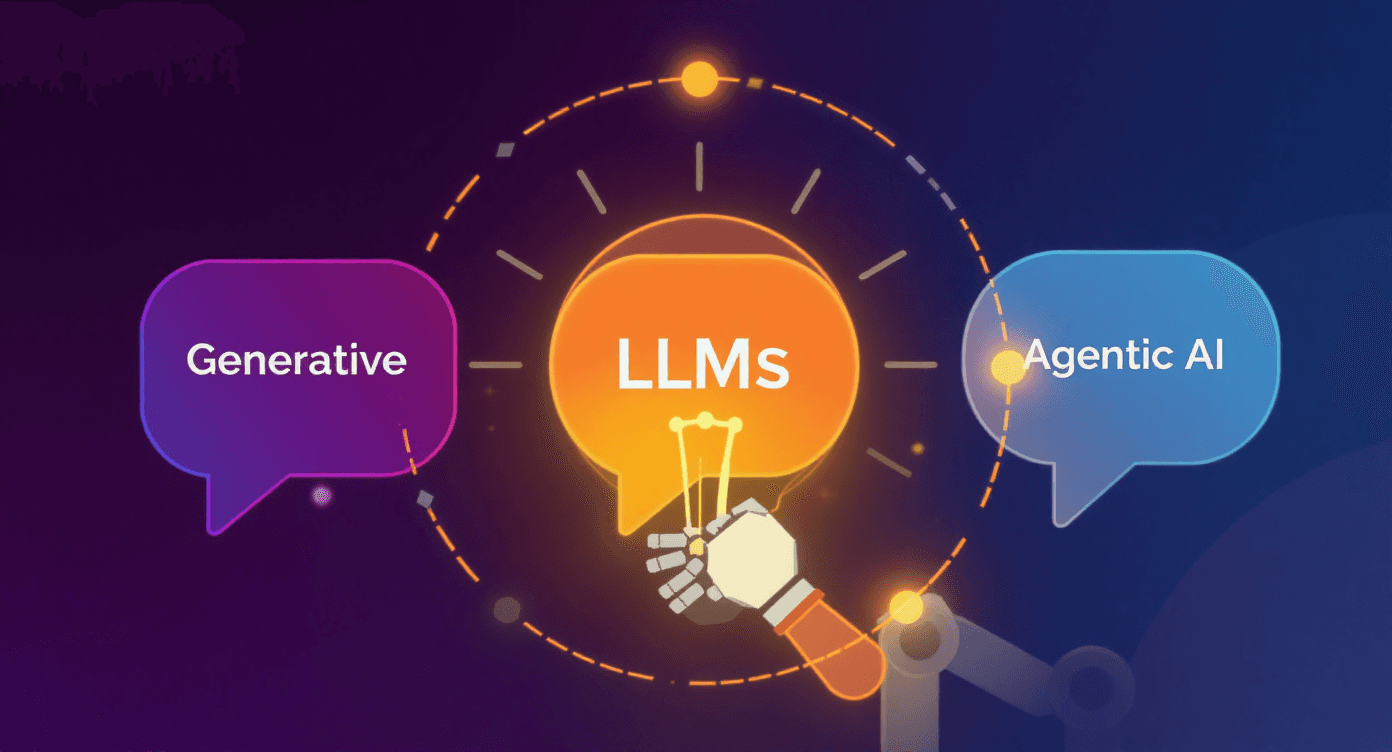
Agentic AI vs LLM vs Generative AI: Understanding the Key Differences
Confused by AI buzzwords? This guide breaks down the difference between AI, Machine Learning, Large Language Models, and Generative AI — and explains how they work together to shape the future of technology.

Tech
Jul 7, 2025
Next.js vs React.js - Choosing a Frontend Framework over Frontend Library for Your Web App
Confused between React and Next.js for your web app? This blog breaks down their key differences, pros and cons, and helps you decide which framework best suits your project’s goals

AI
Jun 28, 2025
Top AI Content Tools for SEO in 2025
This blog covers the top AI content tools for SEO in 2025 — including ChatGPT, Gemini, Jasper, and more. Learn how marketers and agencies use these tools to speed up content creation, improve rankings, and stay ahead in AI-powered search.

Performance Marketing
Apr 15, 2025
Top Performance Marketing Channels to Boost ROI in 2025
In 2025, getting leads isn’t just about running ads—it’s about building a smart, efficient system that takes care of everything from attracting potential customers to converting them.
Tech
Jun 16, 2025
Why Outsource Software Development to India in 2025?
Outsourcing software development to India in 2025 offers businesses a smart way to access top tech talent, reduce costs, and speed up development. Learn why TechTose is the right partner to help you build high-quality software with ease and efficiency.
Digital Marketing
Feb 14, 2025
Latest SEO trends for 2025
Discover the top SEO trends for 2025, including AI-driven search, voice search, video SEO, and more. Learn expert strategies for SEO in 2025 to boost rankings, drive organic traffic, and stay ahead in digital marketing.

AI & Tech
Jan 30, 2025
DeepSeek AI vs. ChatGPT: How DeepSeek Disrupts the Biggest AI Companies
DeepSeek AI’s cost-effective R1 model is challenging OpenAI and Google. This blog compares DeepSeek-R1 and ChatGPT-4o, highlighting their features, pricing, and market impact.
Web Development
Jan 24, 2025
Future of Mobile Applications | Progressive Web Apps (PWAs)
Explore the future of Mobile and Web development. Learn how PWAs combine the speed of native apps with the reach of the web, delivering seamless, high-performance user experiences

DevOps and Infrastructure
Dec 27, 2024
The Power of Serverless Computing
Serverless computing eliminates the need to manage infrastructure by dynamically allocating resources, enabling developers to focus on building applications. It offers scalability, cost-efficiency, and faster time-to-market.

Authentication and Authorization
Dec 11, 2024
Understanding OAuth: Simplifying Secure Authorization
OAuth (Open Authorization) is a protocol that allows secure, third-party access to user data without sharing login credentials. It uses access tokens to grant limited, time-bound permissions to applications.

Web Development
Nov 25, 2024
Clean Code Practices for Frontend Development
This blog explores essential clean code practices for frontend development, focusing on readability, maintainability, and performance. Learn how to write efficient, scalable code for modern web applications
Cloud Computing
Oct 28, 2024
Multitenant Architecture for SaaS Applications: A Comprehensive Guide
Multitenant architecture in SaaS enables multiple users to share one application instance, with isolated data, offering scalability and reduced infrastructure costs.
API
Oct 16, 2024
GraphQL: The API Revolution You Didn’t Know You Need
GraphQL is a flexible API query language that optimizes data retrieval by allowing clients to request exactly what they need in a single request.
Technology
Sep 27, 2024
CSR vs. SSR vs. SSG: Choosing the Right Rendering Strategy for Your Website
CSR offers fast interactions but slower initial loads, SSR provides better SEO and quick first loads with higher server load, while SSG ensures fast loads and great SEO but is less dynamic.

Technology & AI
Sep 18, 2024
Introducing OpenAI O1: A New Era in AI Reasoning
OpenAI O1 is a revolutionary AI model series that enhances reasoning and problem-solving capabilities. This innovation transforms complex task management across various fields, including science and coding.

Tech & Trends
Sep 12, 2024
The Impact of UI/UX Design on Mobile App Retention Rates | TechTose
Mobile app success depends on user retention, not just downloads. At TechTose, we highlight how smart UI/UX design boosts engagement and retention.

Framework
Jul 21, 2024
Server Actions in Next.js 14: A Comprehensive Guide
Server Actions in Next.js 14 streamline server-side logic by allowing it to be executed directly within React components, reducing the need for separate API routes and simplifying data handling.