

Mar 26, 2026
Tech
In 2022, a Bengaluru-based fintech startup spent six months building a savings app. The team was talented. The product looked beautiful. The onboarding flow was smooth, the color palette was calm and trustworthy, and the copy had been rewritten three times to sound friendly and clear.
Then they tested it with 12 real users.
Within the first session, something uncomfortable became obvious. Every single user tapped the wrong button when trying to deposit money. The "Save Now" call-to-action that the design team had spent weeks perfecting was being consistently ignored in favor of a secondary link buried at the bottom of the screen.
Six months of work. One week of user testing. A completely different product direction.
This is not an unusual story. It is, in fact, one of the most common stories in product design. And it is exactly why UX research is not a luxury that companies do after they have a budget. It is the foundation that prevents expensive mistakes before they become expensive realities.
Forrester Research found that every dollar invested in UX design returns approximately 100 dollars in ROI, a 9,900% return. But that return only materializes when design decisions are rooted in real user understanding, not assumptions. That understanding comes from UX research.
Whether you are a designer just starting your journey or a product leader trying to build a more research-driven team, this guide covers every UX research method you need to know in 2026, from the basics to the advanced, explained in plain language with real examples along the way.
What Is UX Research and Why Does It Actually Matter?
UX research is the systematic process of learning about your users so that design decisions are grounded in reality rather than guesswork.
It answers questions like: Who are our users? What are they trying to accomplish? Where do they get confused? What do they expect before they even open our product? What would make them trust us enough to complete a purchase, sign up, or come back tomorrow?
Without research, design becomes an exercise in projection. You design for yourself, or for an imagined user who may or may not exist, and you hope it works. Sometimes it does. More often, there are gaps between what your team assumed and what users actually experience.
The numbers are stark. According to Maze's 2025 Future of User Research Report, organizations that embed research into their business strategy report 2.7 times better outcomes than teams that run research sporadically. Companies integrating UX research into decisions see 5 times better brand perception, 3.6 times more active users, and 3.2 times better product-market fit. In 2025, 87% of organizations reported using research to guide critical product decisions.
Research is not a phase. It is a practice. And the designers, product managers, and companies that treat it that way consistently outperform those who treat it as optional.
At TechTose, our UI/UX design process begins with research before a single wireframe is drawn, because we have seen firsthand what happens to products built on assumptions versus products built on evidence.
The Two Big Categories: Qualitative vs. Quantitative Research
Before we dive into specific methods, it helps to understand the two fundamental categories of UX research. Every method you will encounter falls into one of these two buckets, and knowing the difference helps you choose the right tool for the right question.
Qualitative research explores the "why." It gathers rich, descriptive insight through conversations, observation, and open-ended questions. It tells you what users think, feel, and experience. User interviews are qualitative. Observational studies are qualitative. Focus groups are qualitative. The strength here is depth and nuance. The limitation is that qualitative findings from a small sample cannot always be generalized to an entire user base.
Quantitative research explores the "what" and "how many." It collects numerical data that can be measured, compared, and statistically analyzed. A/B tests are quantitative. Analytics dashboards are quantitative. Surveys with rating scales are quantitative. The strength is scale and generalizability. The limitation is that numbers tell you what is happening but rarely explain why.
The best UX research programs use both together. User interviews (qualitative) reveal that users feel confused during checkout. Analytics (quantitative) confirm that 47% of users abandon the cart at step three. Together, you know what the problem is, where it happens, and why users are experiencing it. Separately, each piece of the picture is incomplete.
Now let us get into the methods.
Method 1: User Interviews
If you could only pick one UX research method, most experienced designers would tell you to start here.
A user interview is a structured or semi-structured one-on-one conversation with someone from your target audience. You ask them questions about their goals, habits, frustrations, and experiences. You listen more than you talk. You follow threads that surprise you. You resist the urge to explain or defend your design.
The output is not just data. It is understanding. After five good user interviews, most design teams walk away with a fundamentally different picture of who they are designing for and what those people actually need.
How to Run a Good User Interview
Start by defining a clear research objective. What specific question are you trying to answer? "Understanding our users better" is too vague. "Understanding how freelancers currently manage client invoices and what frustrates them most about the process" is specific enough to guide your questions.
Recruit participants who genuinely represent your target user. The insights you gather are only as useful as the people you talk to. Someone who has never needed your product will give you different signals than someone who is currently solving the problem you are trying to address.
Prepare an interview guide with open-ended questions. "Tell me about the last time you had to deal with a difficult invoice situation" generates far richer responses than "Do you find invoicing difficult?"
Record the session with permission, so you can focus on the conversation instead of frantic note-taking. Debrief with your team immediately after while observations are fresh.
User interviews are particularly valuable in early discovery, before any design work has started, and after launch, when you want to understand what is working and what is not from the people using the product every day.
Method 2: Usability Testing
Usability testing is where you watch real people attempt to use your product.
You give participants a set of tasks. "Try to find the cancellation policy for your order." "Complete the account setup process." Then you observe. You watch where they hesitate. You note when they click the wrong thing. You pay attention to what they say out loud and, more importantly, what they do not say but visibly struggle with.
Usability testing is one of the most powerful reality checks in design. You can argue in a meeting room about whether a navigation pattern makes sense. You cannot argue when you watch five users in a row struggle to find the same button.
According to Maze's research, usability testing is one of the top three most used research methods, alongside user interviews and surveys, with 84% of design and product teams using it regularly.
Moderated vs. Unmoderated Testing
Moderated testing means a researcher is present during the session, either in person or via video call. The researcher can ask follow-up questions, clarify confusion, and probe deeper when something interesting happens. This is richer but more time-intensive.
Unmoderated testing means participants complete tasks independently using a testing platform, and their behavior is recorded for later review. This scales more easily and removes some of the observer effect, but you lose the ability to dig deeper in real time.
Both have their place. For complex workflows or early-stage prototypes, moderated testing gives you more insight per session. For testing a specific interaction at scale, unmoderated testing is faster and often more practical.
The classic guidance from Jakob Nielsen at Nielsen Norman Group still holds: testing with just five users reveals approximately 85% of usability problems. You do not need dozens of participants to learn something meaningful. You need the right participants and the right tasks.
Our UI/UX development team at TechTose conducts usability testing at multiple stages of every project, from paper prototypes to polished designs, because problems caught early cost a fraction of what they cost to fix after launch.
Method 3: Surveys and Questionnaires
Surveys are the most scalable research method in the designer's toolkit. While a user interview gives you depth from a handful of people, a survey can give you directional data from thousands in the same amount of time.
The key to a useful survey is specificity. Broad surveys that ask "How satisfied are you with our product overall?" produce broad answers that are hard to act on. Targeted surveys that ask "How easy was it to complete your last payment?" using a 1 to 7 scale, followed by "What could have made that easier?" combine quantitative and qualitative signal in a single instrument.
Where Surveys Work Best
Surveys are ideal for measuring satisfaction at specific moments in the user journey. Post-purchase surveys, post-onboarding surveys, and NPS (Net Promoter Score) surveys are all well-established examples that most product teams should be running as standard practice.
They are also useful for validating hypotheses generated by qualitative research. If your user interviews suggest that users are confused about pricing, a survey can quickly tell you what percentage of your broader user base shares that confusion.
The risk with surveys is leading questions. "How much did you enjoy the new checkout flow?" assumes enjoyment. "How would you describe your experience with the new checkout flow?" invites honest responses. The quality of your data depends entirely on the quality of your questions.
Method 4: Card Sorting
Have you ever redesigned a website's navigation and immediately received complaints that users can no longer find anything? That is what happens when information architecture decisions are made without user input. Card sorting is the method that prevents it.
In a card sorting exercise, participants are given cards representing pieces of content or features, and asked to group them in ways that make sense to them. Open card sorting allows participants to create their own categories and name them. Closed card sorting provides pre-defined categories and asks participants to sort cards into them.
The output reveals how your users mentally organize information, what they expect to find together, and what names and labels they naturally associate with different types of content.
This is especially valuable before building or redesigning navigation systems, information architecture, or any product area where discoverability is critical. A navigation system that makes complete sense to the team that built it will still fail users if it does not match how users think about the content it contains.
Method 5: Contextual Inquiry and Field Studies
There is a fundamental limit to what you can learn by asking people to describe their behavior in a controlled setting. People are often inaccurate reporters of their own habits. They tell you what they think they do, not necessarily what they actually do.
Contextual inquiry solves this. It means going to where your users are and observing them in their natural environment as they go about real tasks. You are not asking them to perform for you in a lab. You are watching them work, live, and interact with technology in the context where that technology actually gets used.
A hospital designing software for nurses learned more in two hours of observing a busy ward than they had learned in months of interviews. Nurses used one hand to operate the system while wearing gloves. Nobody had thought to ask that in a survey. Nobody had observed it until someone actually went to the ward.
Contextual inquiry is time-intensive and logistically demanding, but for products where the usage context significantly shapes the experience, it is irreplaceable. The insights it generates tend to be genuinely surprising, and genuinely surprising insights are what create genuinely differentiated products.
Method 6: A/B Testing
A/B testing is the quantitative method that lets design decisions be proven rather than argued.
You show two different versions of a design element to different segments of your real users and measure which version produces better outcomes. Version A versus version B. Which headline gets more signups? Which button placement drives more clicks? Which onboarding flow leads to more completed setups?
The power of A/B testing is that it removes opinion from the conversation. You are not asking your team whether they think the new button color works better. You are letting 50,000 real users answer that question with their actual behavior.
The limitation is that A/B testing only tells you which version performs better on a specific metric. It does not tell you why. A button that gets more clicks might still be causing confusion, frustration, or false expectations downstream. That is why A/B testing works best in combination with qualitative methods that can explain the behavior the data reveals.
Method 7: Heatmaps and Session Recording
Every time a user visits your website or application, they leave a trail of behavioral data. Heatmap tools visualize this data. They show you where users click, how far they scroll, where their mouse hovers, and which elements attract the most attention.
Session recordings go deeper. They let you watch individual user sessions as they actually happened, including every click, scroll, pause, and navigation decision. Watching a user repeatedly try to click on an element that is not actually clickable is a different experience from reading a report that says "users have difficulty with element X." It is visceral, specific, and immediately actionable.
These tools are particularly useful for diagnosing problems on existing products. If you notice a high exit rate on a specific page, heatmaps and session recordings can reveal exactly where users are losing confidence or interest before they leave.
Method 8: Tree Testing
Where card sorting reveals how users group information, tree testing reveals whether users can find specific information within an existing structure.
You present participants with a simplified text representation of your navigation hierarchy, and ask them to find specific content. "Where would you go to find information about cancelling your subscription?" You watch whether they navigate through the intended path or take a completely different route.
Tree testing is particularly valuable after card sorting. You use card sorting to design a structure that matches how users think, then use tree testing to verify that the structure actually works for the tasks users need to complete.
Together, these two methods form a research-backed foundation for any significant navigation or information architecture decision.
Method 9: Prototype Testing
Prototyping is how design teams test ideas before investing in full development. Prototype testing is how they learn whether those ideas actually work for users.
A prototype can be as simple as a clickable wireframe in Figma or as sophisticated as a near-production interactive model. The fidelity of the prototype should match the questions you are trying to answer. Low-fidelity prototypes are appropriate for testing whether a flow makes sense. High-fidelity prototypes are appropriate for testing whether specific interactions feel natural and polished.
The key discipline is testing early and often. The earlier you test, the cheaper the fixes. A design change based on prototype testing costs a fraction of a development change, which costs a fraction of a post-launch redesign.
At TechTose, prototyping and testing are embedded at every stage of our product development process. Our team does not hand over designs for development until they have been validated with real user feedback, because we have seen the cost difference between fixing problems at the wireframe stage and fixing them after code has been written.
Method 10: Diary Studies
Some experiences cannot be captured in a single session. The way people use a budgeting app over a month of expenses. The way a patient interacts with a healthcare platform across multiple appointments. The way a freelancer's relationship with a project management tool evolves from the first week to the sixth.
Diary studies capture longitudinal behavior. Participants document their experiences over time, often using structured prompts or simple forms. You learn how usage patterns shift, how habits form or fail to form, and what sustained engagement or disengagement looks like from the inside.
Diary studies are resource-intensive, but for products where the long-term relationship with the user matters as much as the first-time experience, they provide insight that no other method can match.
Method 11: Expert Reviews and Heuristic Evaluation
Not every research activity requires direct user involvement. A heuristic evaluation is an expert review of a design against established usability principles, most famously Jakob Nielsen's 10 heuristics for user interface design.
An experienced UX professional walks through the product looking for violations of established principles: inconsistency in system responses, lack of clear error messages, too many steps to complete a core task, confusing terminology, and similar issues.
Heuristic evaluations are fast, relatively inexpensive, and can identify significant usability problems before any users are involved. They are best used as a complement to user testing, not a replacement. An expert can spot a lot of problems. But users will always reveal something an expert did not anticipate.
How AI Is Changing UX Research in 2026
No honest discussion of UX research methods in 2026 can ignore the role of artificial intelligence. AI is reshaping how research is planned, conducted, and synthesized across every one of the methods described in this guide.
AI-powered research tools can now automatically transcribe and thematically analyze dozens of user interviews in the time it used to take to manually review one. Sentiment analysis tools surface emotional patterns across thousands of survey responses. Session recording platforms flag "rage clicks" and unusual behavior patterns automatically, without a researcher having to watch every second of footage.
Perhaps most significantly, AI is making UX research more democratic. In 2025, 70% of UX designers were conducting their own research, according to Nielsen Norman Group. AI tools that automate the analysis burden are a major reason why. When a designer does not need a specialist to interpret interview data, they are more likely to run the research themselves.
This democratization is genuinely exciting. It means research can happen faster, more continuously, and at every stage of design rather than in isolated phases. The risk is that AI analysis can miss nuance that a trained researcher would catch. The tools are powerful, but they are not yet a replacement for experienced research judgment.
Our AI development work at TechTose intersects directly with this trend. We see the same patterns in product design that we see across all our technology work: AI works best as an accelerator for human expertise, not a substitute for it.
What Competitors Are Covering and Where the Gaps Are
The top-ranking articles on UX research methods share certain consistent strengths and consistent blind spots. Understanding both tells you what a truly useful resource on this topic needs to offer.
Nielsen Norman Group (nngroup.com) remains the gold standard for research-backed UX guidance. Their articles are authoritative, exhaustive, and impeccably sourced. The gap is accessibility. Their writing assumes a level of UX expertise that excludes designers earlier in their journey. They rarely contextualize their guidance with the kind of specific, relatable stories that help new practitioners understand why a method matters before they understand how to use it.
Interaction Design Foundation (interaction-design.org) covers research methods comprehensively with strong visual support and structured learning paths. Their content is educational but can feel more like a textbook than a guide. Practitioners want to know what to do next week, not just what a method is.
Maze (maze.co) produces excellent data-driven content that draws on their own proprietary research. Their UX statistics and trend reports are among the most cited in the industry. Their gap is India-specific context. Their content is largely written for US and European product teams and does not address the specific dynamics of designing for Indian users, Indian markets, or Indian digital behaviors.
ProCreator (procreator.design) offers practitioner-focused content with strong real-world grounding. Their blog reflects genuine hands-on experience. The limitation is depth on advanced methods and the lack of an integrated perspective on how research methods combine into a coherent practice rather than a collection of techniques.
Loop11 (loop11.com) and Mockflow (mockflow.com) produce well-structured trend content that is good at identifying where the field is going but lighter on the implementation guidance practitioners need. They tell you what trends to watch without always helping you understand how to act on them.
The consistent gap across all of these is a resource that takes a designer from the very beginning (why research matters and what qualitative versus quantitative actually means) all the way through to advanced methods and AI integration, in a single coherent narrative that uses real storytelling to make the guidance stick. That is what this article has tried to provide.
Choosing the Right Research Method for Your Stage
One of the most common mistakes in UX research is applying the right method at the wrong time. A matrix can help.
Discovery phase (before any design work): User interviews, contextual inquiry, diary studies, competitive analysis. You are trying to understand the problem space, not evaluate a solution.
Design phase (prototypes and wireframes): Prototype testing, card sorting, tree testing, expert reviews. You are trying to validate design decisions before they are built.
Pre-launch phase (near-complete product): Usability testing, A/B testing setup, surveys. You are trying to catch remaining problems and establish baselines.
Post-launch phase (live product): Heatmaps, session recordings, A/B testing results, satisfaction surveys, diary studies. You are trying to understand how real users behave at scale and identify your next improvement priorities.
No single research method serves all stages equally well. The best research programs use different methods at different stages, letting the output of each inform the questions driving the next.
How TechTose Brings Research Into Every Design Project
Research is easy to treat as optional when timelines are tight. We have watched enough projects fail without it that we no longer let our clients skip it, even when they want to move fast.
As a UI UX development company in India, TechTose integrates user research into every stage of our design process. We do not hand over beautiful screens that have never been tested with real users. We design from evidence, refine from feedback, and ship with confidence because we know our solutions actually work for the people who will use them.
Our portfolio of client case studies includes products across healthcare, finance, education, and e-commerce, all designed through a research-first process. The patterns are consistent: research-informed products launch with fewer revisions, achieve higher user adoption, and require less reactive redesign after launch.
If you are building a digital product and want to ensure your design decisions are grounded in user evidence rather than assumptions, our team is ready to help. And if you are exploring what a full product development engagement looks like, booking a consultation is the fastest way to understand what is possible for your specific context.
For product teams also thinking about the role of AI in their design and development workflows, our latest insights on AI-powered development explore how these technologies are changing what is possible for teams of every size.
Conclusion: Design That Actually Works Starts Here
The fintech startup in Bengaluru did not fail because their designers were not talented. They almost failed because they did not test early enough. One week of usability testing before launch saved them from shipping a product that real users could not actually use.
UX research is not a department. It is not a budget line. It is not something you do when you have time. It is the practice of staying connected to the reality of the people you are designing for, so that every decision you make is informed by evidence rather than assumption.
The methods in this guide, from user interviews to AI-powered usability tools, form a complete toolkit for any designer or product team serious about building things that work. Start with the methods that match your current stage. Combine qualitative and quantitative approaches. Keep testing. Keep listening. Keep building from evidence.
The designers who do this consistently are not just building better products. They are building careers and companies on a foundation that holds.
1. What is the difference between UX research and market research?
2. How many users do I need to run usability testing?
3. How do I convince stakeholders to invest in UX research?
4. When in the product development process should research start?
5. What is the role of AI in UX research in 2026?

Discover More Insights
Continue learning with our selection of related topics. From AI to web development, find more articles that spark your curiosity.

AI
Jul 31, 2026
How to Build an AI Voice Agent for Real Estate in 2026: Complete Guide
Agents spend enormous time on calls that could be handled automatically: qualifying leads, answering property questions, scheduling viewings, and following up on inquiries that arrive at midnight. An AI voice agent for real estate handles these conversations intelligently, around the clock, without compromising the quality of the interaction. This guide covers how to build one, from concept to production deployment.

AI
Jul 31, 2026
Generative AI for Sales: Use Cases and a Build Roadmap for 2026
Sales has always been a people business. But the administrative burden that surrounds modern sales, the outreach drafting, the CRM updates, the proposal writing, the follow-up sequencing, consumes so much of a salesperson's time that the actual human work of selling is squeezed into the margins. Generative AI for sales is changing this equation dramatically. This guide covers the most valuable use cases, how to prioritize them, and a practical build roadmap for implementing generative AI into your sales operation in 2026.

App Development
Jul 31, 2026
How to Build a Smart Calendar App in 2026: Complete Developer Guide
Building a smart calendar app in 2026 means going beyond storing appointments. It means building a system that actively helps users manage time intelligently. This guide covers the complete development process from concept through launch, including the AI features that separate smart calendars from digital scheduling books.

AI
Jul 30, 2026
Best Generative AI Use Cases for Businesses: A Complete Guide for 2026
This guide covers the best generative AI use cases for businesses in 2026, organized by function, with real examples, implementation guidance, and honest assessment of where the technology delivers genuine value versus where the hype exceeds the reality.

Tech
Jul 30, 2026
Top Features Every Custom CRM Should Have in 2026: The Complete Guide
Most CRM implementations fail not because of the technology but because businesses deploy a system that does not match how their sales team actually works. A custom CRM built with the right features changes everything: pipeline visibility improves, deal velocity increases, and sales managers finally have the data to coach effectively. This guide covers every feature a modern custom CRM needs in 2026, from fundamental contact management to advanced AI-driven sales intelligence.

Jul 29, 2026
How Much Does IT Staff Augmentation Cost in 2026? The Complete Guide
IT staff augmentation has become one of the most strategic workforce decisions technology companies make. Done right, it gives you senior technical talent exactly when you need it, at a fraction of the cost of full-time hiring, without the timeline of a recruitment cycle. Done wrong, it creates coordination problems, quality gaps, and costs that exceed what permanent hiring would have required.

Programming Language
Jul 29, 2026
Enterprise Software Development Services: Why Indian Software Development Agencies Are Leading the World
Enterprise software development is one of the most consequential investments a business makes. Choose the right software development agency and you build competitive infrastructure that scales with you for years. Choose wrong and you spend double to fix what should have been built correctly the first time. This guide covers everything a business leader, CTO, or procurement team needs to know about enterprise software development services, with specific focus on why India has become the world's most trusted destination for building enterprise-grade software.

AI
Jul 28, 2026
Best OCR APIs in 2026: Top 15 OCR APIs Compared for Accuracy, Pricing and Features
OCR APIs have quietly become one of the most critical infrastructure decisions for businesses handling documents at scale. Getting the wrong one costs you accuracy, integration time, ongoing costs, and sometimes the entire workflow it was supposed to automate. This guide compares the 15 best OCR APIs available in 2026, covering accuracy, pricing, supported document types, language support, and which use case each one actually serves best.
Tech
Jul 28, 2026
How Much Does It Cost to Build an MVP in 2026? Complete Guide
Building an MVP is the smartest first move for any product idea. But "how much will it cost" is the question every founder gets wrong before they have done it once. Too many teams either overbuild a product that costs five times what it needed to, or underbuild something so minimal it cannot validate anything real. This guide gives you the honest cost breakdown for MVP development in 2026, with real numbers, industry-specific estimates, and the framework to scope and budget your MVP correctly the first time.

Tech
Jul 27, 2026
How Much Does It Cost to Build a Fintech App? Complete Guide for 2026
The question every founder, enterprise product team, and bank executive asks before starting a fintech app project is the same: how much will this actually cost? The honest answer is more nuanced than any quick estimate can capture. This guide breaks down every cost factor in fintech app development, from basic MVP to enterprise-grade financial platform, with real numbers, India-specific context, and the framework you need to budget accurately for your specific project.

AI
Jul 26, 2026
How to Build an AI-Powered Mobile App: A Complete Guide for 2026
Building a mobile app was already complex. Building one powered by AI adds an entirely new layer of decisions around model selection, data architecture, privacy, and user experience. This guide walks you through the complete process of building an AI-powered mobile app in 2026, from the first product idea through launch and beyond, including how to choose the right mobile app development company to bring your vision to life.

AI
Jul 24, 2026
AI Chatbots vs Conversational AI: What Every Business Needs to Know
Most businesses use the terms AI chatbot and conversational AI interchangeably. They are not the same thing, and choosing the wrong one for your use case costs real money, real customer satisfaction, and real competitive ground. This guide explains the genuine difference between AI chatbots and conversational AI, when each approach makes sense, what the best platforms offer in 2026, and how to make the decision that actually fits your business needs.

Marketing
Jul 25, 2026
Best AI Tools for Digital Marketing 2026: The Complete Guide for Marketers Who Want Results
Every digital marketing team in 2026 is using AI tools. But most are using three tools when they should be using one, ignoring five that would transform their workflow, and paying for two that are not delivering real value. This guide cuts through the noise with an honest, comprehensive breakdown of the best AI tools for digital marketing across every major channel, with real use cases, pricing transparency, and guidance on which tools actually earn their subscription cost.

AI
Jul 24, 2026
Top 10 AI Agent Frameworks Compared: LangChain vs CrewAI vs AutoGen and More (2026)
Choosing the wrong AI agent framework can cost your team months of rework. In 2026, the ecosystem has matured to the point where there are genuine differences between frameworks that matter enormously depending on what you are building. This guide compares the top 10 AI agent frameworks side by side covering architecture, strengths, weaknesses, and which type of project each one actually serves best.

AI
Jul 23, 2026
Open-Source vs Closed-Source AI Models: Which Should Enterprises Choose?
This guide cuts through the noise with an honest, detailed comparison covering security, cost, performance, compliance, and strategic fit so enterprise decision-makers can choose the right approach for their specific situation.

Jul 22, 2026
Why Context Windows Matter More Than Model Size?
Model size dominates the marketing, but context windows decide whether an AI application actually holds together in production. This guide explains why, with real numbers and real stories.

AI
Jul 21, 2026
Single Agent vs Multi Agent Framework: Which Architecture Actually Wins?
Single agent or multi agent framework? This guide breaks down both architectures with real data, storytelling, and a practical decision framework for teams building AI agents in 2026.

UI UX
Jul 19, 2026
Best UI/UX Design Tools in 2026: A Complete Guide From Basics to Advanced Workflows
Choosing the right UI UX design tools in 2026 can make or break a product's speed to market. This guide walks through the platforms actually worth learning, why AI has changed the toolkit, and how to build a stack that fits your team.

SEO
Jul 17, 2026
How AI Overviews is changing Search on Google?
AI Overviews have quietly rewritten the rules of search. This guide explains what GEO Services in India actually involve, how they differ from traditional SEO, and how brands can earn a place inside AI generated answers, with an honest look at the leading players in the space.

E-commerce
Jul 15, 2026
Features Every E-commerce Website Must Have: The Complete Guide to E-commerce Web Development
Building an e-commerce website is not simply putting products on a page with a buy button. The difference between an online store that converts and one that bleeds traffic is almost always found in the features under the surface: how fast it loads, how easy checkout is, how trustworthy it feels, and how intelligently it serves each visitor.

Web Development
Jul 16, 2026
Best CSS Frameworks for Modern Websites in 2026: Complete Developer Guide
Every developer has been there: staring at a blank CSS file, knowing that dozens of hours of layout work stand between the current state and a polished, responsive website. CSS frameworks exist to solve exactly that problem.

Tech
Jul 14, 2026
How to Find Trending Keywords Before Your Competitors Do
Most brands find a trending keyword after it has already peaked. This guide by TechTose shows you how to find keywords early, using free tools, community signals, and a simple weekly process that anyone on your team can follow, even if you have never done keyword research before.

Social Media
Jul 13, 2026
Best Social Media Scheduling Tools in 2026: Complete Comparison (Features, Pricing and Performance)
Posting consistently on social media is one of the hardest operational challenges for any business or creator. The right social media scheduling tool eliminates the chaos of manual posting, ensures your content goes out at the right time every day, and increasingly uses AI to help you create, optimize, and analyze content too.

Tech
Jul 9, 2026
How AI Resume Builders Improve Your Resume: The Complete Guide for 2026
Most resumes never get read by a human. They are screened out by software before a recruiter ever sees them. AI resume builders are changing that by helping job seekers write resumes that pass automated screening, match job descriptions precisely, and communicate value clearly. This guide covers everything from how AI resume builders actually work to which tools are worth using and how to get the most out of them.

AI
Jul 7, 2026
How to Build an AI Agent: A Complete Step-by-Step Guide for 2026
This guide walks you through exactly how to build an AI agent, from understanding what one actually is, through choosing the right architecture, picking the right tools, and deploying something that works in the real world.

AI
Jul 5, 2026
Best AI Meeting Assistants in 2026: Complete Guide to Tools, Features and Pricing
Meetings consume more time than almost any other business activity. AI meeting assistants in 2026 are changing that by automatically transcribing conversations, generating summaries, extracting action items, and even attending meetings on your behalf. This guide covers everything from what these tools actually do to how to choose the right one, with honest comparisons across the best options available right now.

AI
Jul 3, 2026
AI Image Generation Tools in 2026: 15 Best Tools Compared (Features and Pricing)
AI image generation tools in 2026 have crossed a threshold that would have seemed impossible just three years ago. The output is photorealistic, commercially licensable, and generated in seconds.

AI
Jun 30, 2026
Best AI Coding Assistants in 2026: 15 Tools Compared (Features, Pricing and Performance)
The way developers write code has fundamentally changed. AI coding assistants in 2026 are no longer simple autocomplete tools. They debug, explain, refactor, generate entire functions, and even review pull requests. This guide compares 15 of the best tools available right now, covering features, pricing, performance, and which type of developer or team each one serves best.

App Development
Jun 23, 2026
How FinTech Apps Are Transforming Financial Services?
Financial services used to mean standing in a queue, filling out paperwork, and waiting days for approvals. FinTech apps changed all of that, and the transformation is far from finished. This guide explains how FinTech apps are reshaping banking, lending, payments, and investing, and what businesses need to know when choosing the right app development company to build their own FinTech product.

Marketing
Jun 21, 2026
How to Optimize Content for ChatGPT, Perplexity, Claude, and Gemini
Search is changing. People are no longer just typing into Google, they are asking ChatGPT, Perplexity, Claude, and Gemini for direct answers. If your content is not built for these AI engines, you are becoming invisible to a fast-growing share of your audience. This guide walks you through exactly what LLM optimization services do and how you can apply the same thinking to your own content, from the basics all the way to advanced technical strategy.

E-commerce
Jun 16, 2026
How E-commerce Brands Can Generate Product Ads with AI: The Complete Guide
Generating product ads with AI is no longer a luxury reserved for big brands with massive budgets. Today, any e-commerce business can use AI to create, personalize, and optimize ads faster and cheaper than ever before. This guide walks you through everything, from understanding what AI ad generation actually means to deploying advanced multi-channel campaigns that convert.

Marketing
Jun 17, 2026
Gen AI Advertising: How Generative AI is Completely Changing the Way Brands Advertise
Gen AI Advertising is no longer a future concept. It is happening right now, and brands that understand it early will have a serious edge. This guide walks you through everything, from what Gen AI Advertising actually means to how leading companies are using it to run smarter, faster, and more personal ad campaigns at scale.

AI
Jun 15, 2026
Best AI Tools for Sales Automation in 2026: The Complete Guide
AI tools for sales are reshaping how teams generate leads, follow up with prospects, and close deals. This guide covers the best AI sales automation tools in 2026, who they are best for, and how to pick the right one for your business.

AI
Jun 12, 2026
The Rise of Autonomous AI Agents in Modern Enterprises
Autonomous AI agents are no longer a future concept. They are running payroll, closing sales, debugging code, and managing supply chains right now.

AI
Jun 3, 2026
How to Build AI Agents Using Claude Code
Building AI agents is no longer reserved for large research labs. With Claude Code, any developer or business can create autonomous, intelligent systems that take action, make decisions, and complete complex tasks. This guide walks you through everything from first principles to production deployment.

Jun 1, 2026
Top AI Trends Every CEO Should Know in 2026
AI is no longer just an IT conversation. It is a boardroom conversation. This guide breaks down the top AI trends every CEO must understand in 2026, from autonomous agents reshaping operations to AI governance becoming a competitive advantage.

AI
May 29, 2026
Agentic AI vs AI Agents: What's the Basic Difference
Agentic AI and AI Agents sound almost identical, yet they represent two fundamentally different ideas. This guide cuts through the confusion with plain language, real examples, and practical insight for businesses ready to build with AI.

UI-UX
May 27, 2026
Why UI/UX Design Matters More Than Ever in 2026
In 2026, users decide within seconds whether to stay on your app or leave forever. This blog explores why UI/UX design has become the most powerful growth lever for businesses worldwide and how the right UI UX development company in India can help you win.

LLM
May 25, 2026
How to Optimize Your Website for LLMs?
Search is no longer just Google. In 2026, millions of people ask ChatGPT, Gemini, and Perplexity for recommendations before they ever visit a website. This guide teaches you exactly how to optimize your website for LLMs so your business shows up when AI answers questions about your industry.

AI
May 22, 2026
AI Features Businesses Can Add to Their Mobile Apps
Your mobile app is already competing against apps that think, learn, and adapt in real time. If yours is still running on static logic and fixed menus, you are not just behind on technology. You are losing users every single day to apps that feel smarter.

AI
May 18, 2026
How AI Can Help Small Businesses Compete With Large Enterprises?
Size used to be everything in business. The bigger your team, your budget, and your data infrastructure, the more you could accomplish. That era is over. AI has fundamentally rewritten the rules of competition, and small businesses that understand this are already outmaneuvering companies ten times their size. This guide explains exactly how.

Marketing
May 15, 2026
Marketing Trends in 2026: How the Creative Industry Is Reinventing Itself
The creative industry is being rewritten in 2026. This guide breaks down the 10 biggest marketing trends changing how brands create content, reach audiences, and drive growth, from AI workflows and social commerce to the death of third-party data.

AI
May 14, 2026
AI Hallucination: Why AI Sometimes Gives Wrong Answers
AI confidently gives wrong answers and calls them facts. This complete guide explains what AI hallucination is, why it happens, which industries it hits hardest, and the proven techniques used to detect and reduce it in real-world applications.

AI
May 11, 2026
How Brands Are Using AI for Customer Engagement | TechTose

May 8, 2026
How Generative AI Is Changing Instagram Marketing in 2026?
Generative AI is reshaping Instagram marketing at every level in 2026. From solo creators producing five Reels a week with no team, to Fortune 500 brands A/B testing hundreds of ad variants in minutes, this guide covers every major use case, tool, risk, and practical workflow you need to stay ahead.

AI
May 5, 2026
How Higgsfield AI Is Changing Image Generation in 2026?
Higgsfield AI is a multi-model generative AI platform that lets creators, marketers, and enterprises produce Hollywood-grade video and image content without a production budget or technical background. This guide covers everything from its founding story and core features to advanced use cases for brands and agencies in 2026.
May 1, 2026
Importance of UX/UI Design in Mobile App Success
An app that feels right is unforgettable. This guide breaks down exactly why UI/UX design is the single most powerful lever in mobile app success, from the psychology behind first impressions all the way to advanced design systems that scale with your product.

Tech
May 1, 2026
AI-Powered Personalization in Mobile Apps: The Next Growth Hack
AI is no longer just a feature inside your mobile app. It is the entire foundation. This guide walks you through how AI-powered personalization works, why it is becoming the biggest growth lever in mobile app development, and what your business needs to do right now to stay ahead.

E-commerce
Apr 30, 2026
Must-Have Features for Higher Conversion for E-commerce Sites
Most e-commerce stores bleed revenue silently, not because of bad products or poor marketing, but because their website is quietly pushing customers away. This guide covers every feature your online store must have in 2026 to turn browsers into buyers, first-time visitors into loyal customers, and traffic into real, measurable growth.

AI
Apr 29, 2026
Gen AI in Advertising: From Creatives to Full Campaign Automation
Advertising has always been about the right message to the right person at the right time. Gen AI in advertising makes that possible at a scale and speed no human team can match alone

Apr 24, 2026
How Marketing Agencies Can Use Claude to Deliver 10x Faster Results

SEO
Apr 21, 2026
Conversion Rate Optimization (CRO): The Complete Guide to Turning Visitors into Customers
You're spending lakhs on ads, publishing content every week, investing in SEO — but your website conversions are stuck at 1–2%. The problem isn't your traffic. It's what happens after the click. This in-depth CRO guide by TechTose, one of India's leading Digital Marketing Agencies, will show you exactly why visitors leave without converting — and the proven, data-backed strategies to fix it.

SEO
Apr 21, 2026
How to Do Keyword Research That Drives Real Traffic?
Most businesses guess at keywords and wonder why their traffic never grows. This in-depth guide by TechTose — a leading Digital Marketing Agency in India — reveals the exact keyword research process that separates top-ranking pages from pages buried on page 5. Whether you're a startup, an SME, or an enterprise, this guide will transform how you think about SEO.

AI
Apr 16, 2026
What Are AI Models and How Are They Trained?
AI models power everything from chatbots to medical diagnosis, but most people have no idea how they actually work. This guide breaks down what AI models are, how they learn from data, and what the training process really looks like, from total beginner to advanced concepts.

AI
Apr 16, 2026
Will AI Replace Jobs or Create More Opportunities? The Complete Guide for Workers and Businesses in 2026
AI is already changing the job market. This guide cuts through the noise with real data, honest industry breakdowns, and practical steps for workers and businesses navigating the biggest career shift of our generation

AI
Apr 10, 2026
How to Use Generative AI for Content Marketing?
Generative AI is changing how marketing teams create content. This guide shows you exactly how to use it for blogs, social media, email, and video without losing your brand voice or hurting your rankings.

Social Media
Apr 8, 2026
Social Media Trends in 2026: The Complete Guide for Brands, Marketers, and Businesses
Social media in 2026 has new rules. This guide covers the 10 biggest trends shaping platforms right now — from AI content and social commerce to community-led growth — with clear actions your brand can take today.
AI
Apr 9, 2026
Top Agentic AI Trends to Watch in 2026: From Basics to Enterprise Strategy
Agentic AI is no longer a pilot project — it's a production imperative. This guide breaks down the 10 trends every business leader needs to understand in 2026, backed by data from Gartner, McKinsey, NVIDIA, and Capgemini. From multi-agent orchestration to workforce redesign, here's what's actually happening at scale and what your organisation should be doing about it right now.

AI
Apr 7, 2026
Top AI Tools Every Web Developer Should Use in 2026
AI is no longer optional for web developers — it's a competitive edge. This guide covers the top AI tools in 2026 across coding, debugging, UI generation, and deployment, helping beginners and advanced developers build smarter and ship faster.

AI
Apr 7, 2026
Fine-Tuning vs Prompt Engineering: Which One Should You Use?
Not sure whether to fine-tune your AI model or engineer better prompts? This guide breaks down both approaches — from beginner basics to advanced techniques — helping you pick the right strategy for your use case, budget, and goals.

AI
Mar 27, 2026
How E-commerce Brands Can Use Agentic AI for Personalization
Personalization has always been the holy grail of e-commerce. In 2026, agentic AI is finally delivering it at scale. This guide covers what agentic AI actually is, how it powers next-level personalization, real-world brand examples, and a practical roadmap to get started, whether you run a startup or a mid-market operation.

AI
Mar 27, 2026
How Agentic AI is Transforming Businesses in 2026: A Developer's Inside Perspective
An in-depth look at Agentic AI in 2026 from an experienced AI developer. Explore how autonomous AI agents are transforming businesses, with real examples, implementation strategies, and expert insights from TechTose.

AI
Mar 25, 2026
Top AI Automation Tools for Businesses in 2026
The AI automation landscape has never moved faster. This guide covers the top tools businesses are using in 2026 to automate workflows, cut costs, and scale smarter, with real examples, honest comparisons, and a clear path to getting started.
Ai
Mar 25, 2026
Top Real-World Applications of Natural Language Processing in 2026
Learn how NLP technology powers everything from voice assistants to medical diagnosis. This comprehensive guide explores 15 real-world applications transforming how machines understand human language, with practical examples and industry insights.
SEO
Mar 24, 2026
Latest SEO Trends You Can't Ignore in 2026
Explore the top SEO trends in 2026, including AI search, GEO, E-E-A-T, and zero-click strategies, with actionable insights to boost your online visibility.

Tech
Mar 20, 2026
Top Web Development Companies in 2026: The Definitive Guide for Businesses
Compare the best web development companies in 2026 by project type, pricing, and tech stack. Find the right agency partner for your business goals.

AI
Mar 19, 2026
Generative AI in 2026: Top Use Cases and Trends Every Business Should Know
Explore the latest Generative AI trends in 2026 and learn how businesses are using AI to automate tasks, improve efficiency, and scale faster.

AI
Mar 19, 2026
Best AI Tools for Mobile App Development in 2026: The Complete Guide
Mobile app development has changed faster in the last two years than in the decade before it. This guide covers every major category of AI tool available to mobile developers in 2026, from AI code assistants like GitHub Copilot and Cursor to no-code builders like FlutterFlow and Lovable, with real pricing, honest limitations.
AI
Mar 13, 2026
Top Use Cases of AI Agents in 2026: The Complete Guide
Learn how AI agents are being used in 2026 to automate business processes, enhance customer experience, and increase productivity across different industries.

SEO
Mar 10, 2026
Programmatic SEO: The Complete Guide to Scaling Organic Traffic in 2026
Learn programmatic SEO from basics to advanced strategy. Discover how to build thousands of high-ranking pages at scale, avoid common pitfalls, and drive serious organic growth.
Mobile App Development
Mar 10, 2026
How AI-Powered Mobile App Development Is Changing the Game in 2026
Mobile app development in 2026 has transformed with the rise of artificial intelligence, low-code platforms, cross-platform frameworks, and cloud technologies. Businesses can now build scalable and high-performance mobile applications faster and more cost-effectively than ever before.

AI
Feb 13, 2026
How AI Agents can Automate your Business Operations?
Discover how AI agents are transforming modern businesses by working like digital employees that automate tasks, save time, and boost overall performance.

Tech
Jan 29, 2026
MVP Development for Startups: A Complete Guide to Build, Launch & Scale Faster
Discover how MVP development for startups helps you validate your idea, attract early users, and impress investors in just 90 days. This complete guide walks you through planning, building, and launching a successful MVP with a clear roadmap for growth.

Tech
Jan 13, 2026
Top 10 Enterprise App Development Companies in 2026
Explore the Top 10 Enterprise App Development Company in 2026 with expert insights, company comparisons, key technologies, and tips to choose the best development partner.

AI
Dec 4, 2025
AI Avatars for Marketing: The New Face of Ads
AI avatars for marketing are transforming how brands create content, scale campaigns, and personalize experiences. This deep-dive explains what AI avatars are, real-world brand uses, benefits, risks, and a practical roadmap to test them in your marketing mix.

AI
Nov 21, 2025
How Human-Like AI Voice Agents Are Transforming Customer Support?
Discover how an AI Voice Agent for Customer support is changing the industry. From reducing BPO costs to providing instant answers, learn why the future of service is human-like AI.

AI
Nov 11, 2025
How AI Voice Generators Are Changing Content Creation Forever?
Learn how AI voice tools are helping creators make videos, podcasts, and ads without recording their own voice.

Sep 26, 2025
What Role Does AI Play in Modern SEO Success?
Learn how AI is reshaping SEO in 2025, from smarter keyword research to content built for Google, ChatGPT, and Gemini.

AI
Sep 8, 2025
How Fintech Companies Use RAG to Revolutionize Customer Personalization?
Fintech companies are leveraging Retrieval-Augmented Generation (RAG) to deliver hyper-personalized, secure, and compliant customer experiences in real time.

AI
Aug 28, 2025
How to Use AI Agents to Automate Tasks?
AI agents are transforming the way we work by handling repetitive tasks such as emails, data entry, and customer support. They streamline workflows, improve accuracy, and free up time for more strategic work.

SEO
Aug 22, 2025
How SEO Is Evolving in 2025?
In the era of AI-powered search, traditional SEO is no longer enough. Discover how to evolve your strategy for 2025 and beyond. This guide covers everything from Answer Engine Optimization (AEO) to Generative Engine Optimization (GEO) to help you stay ahead of the curve.

AI
Jul 30, 2025
LangChain vs. LlamaIndex: Which Framework is Better for AI Apps in 2025?
Confused between LangChain and LlamaIndex? This guide breaks down their strengths, differences, and which one to choose for building AI-powered apps in 2025.
AI
Jul 10, 2025
Agentic AI vs LLM vs Generative AI: Understanding the Key Differences
Confused by AI buzzwords? This guide breaks down the difference between AI, Machine Learning, Large Language Models, and Generative AI — and explains how they work together to shape the future of technology.

Tech
Jul 7, 2025
Next.js vs React.js - Choosing a Frontend Framework over Frontend Library for Your Web App
Confused between React and Next.js for your web app? This blog breaks down their key differences, pros and cons, and helps you decide which framework best suits your project’s goals

AI
Jun 28, 2025
Top AI Content Tools for SEO in 2025
This blog covers the top AI content tools for SEO in 2025 — including ChatGPT, Gemini, Jasper, and more. Learn how marketers and agencies use these tools to speed up content creation, improve rankings, and stay ahead in AI-powered search.

Performance Marketing
Apr 15, 2025
Top Performance Marketing Channels to Boost ROI in 2025
In 2025, getting leads isn’t just about running ads—it’s about building a smart, efficient system that takes care of everything from attracting potential customers to converting them.
Tech
Jun 16, 2025
Why Outsource Software Development to India in 2025?
Outsourcing software development to India in 2025 offers businesses a smart way to access top tech talent, reduce costs, and speed up development. Learn why TechTose is the right partner to help you build high-quality software with ease and efficiency.
Digital Marketing
Feb 14, 2025
Latest SEO trends for 2025
Discover the top SEO trends for 2025, including AI-driven search, voice search, video SEO, and more. Learn expert strategies for SEO in 2025 to boost rankings, drive organic traffic, and stay ahead in digital marketing.

AI & Tech
Jan 30, 2025
DeepSeek AI vs. ChatGPT: How DeepSeek Disrupts the Biggest AI Companies
DeepSeek AI’s cost-effective R1 model is challenging OpenAI and Google. This blog compares DeepSeek-R1 and ChatGPT-4o, highlighting their features, pricing, and market impact.

Web Development
Jan 24, 2025
Future of Mobile Applications | Progressive Web Apps (PWAs)
Explore the future of Mobile and Web development. Learn how PWAs combine the speed of native apps with the reach of the web, delivering seamless, high-performance user experiences

DevOps and Infrastructure
Dec 27, 2024
The Power of Serverless Computing
Serverless computing eliminates the need to manage infrastructure by dynamically allocating resources, enabling developers to focus on building applications. It offers scalability, cost-efficiency, and faster time-to-market.

Authentication and Authorization
Dec 11, 2024
Understanding OAuth: Simplifying Secure Authorization
OAuth (Open Authorization) is a protocol that allows secure, third-party access to user data without sharing login credentials. It uses access tokens to grant limited, time-bound permissions to applications.

Web Development
Nov 25, 2024
Clean Code Practices for Frontend Development
This blog explores essential clean code practices for frontend development, focusing on readability, maintainability, and performance. Learn how to write efficient, scalable code for modern web applications

Cloud Computing
Oct 28, 2024
Multitenant Architecture for SaaS Applications: A Comprehensive Guide
Multitenant architecture in SaaS enables multiple users to share one application instance, with isolated data, offering scalability and reduced infrastructure costs.
API
Oct 16, 2024
GraphQL: The API Revolution You Didn’t Know You Need
GraphQL is a flexible API query language that optimizes data retrieval by allowing clients to request exactly what they need in a single request.
Technology
Sep 27, 2024
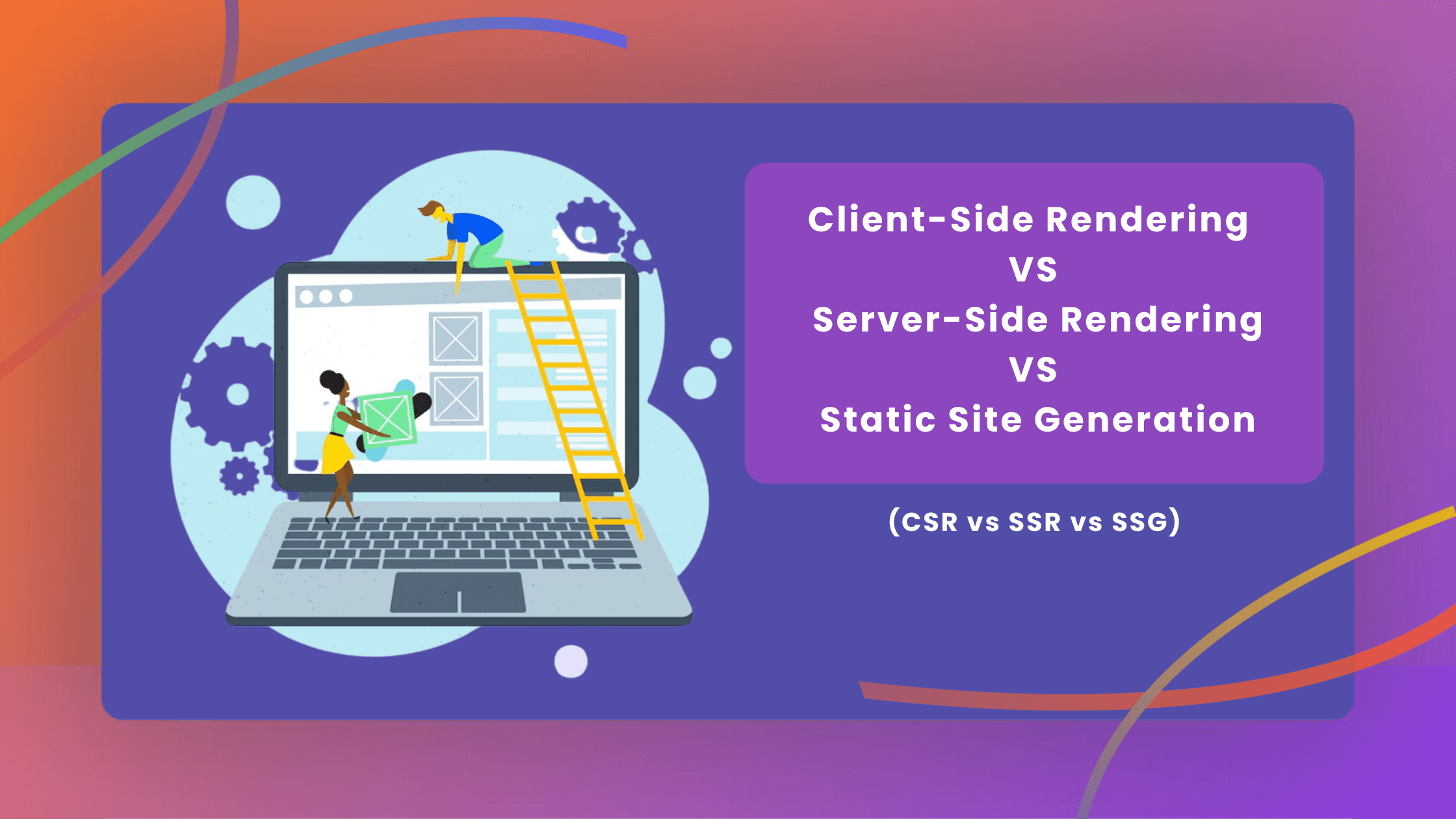
CSR vs. SSR vs. SSG: Choosing the Right Rendering Strategy for Your Website
CSR offers fast interactions but slower initial loads, SSR provides better SEO and quick first loads with higher server load, while SSG ensures fast loads and great SEO but is less dynamic.

Technology & AI
Sep 18, 2024
Introducing OpenAI O1: A New Era in AI Reasoning
OpenAI O1 is a revolutionary AI model series that enhances reasoning and problem-solving capabilities. This innovation transforms complex task management across various fields, including science and coding.

Tech & Trends
Sep 12, 2024
The Impact of UI/UX Design on Mobile App Retention Rates | TechTose
Mobile app success depends on user retention, not just downloads. At TechTose, we highlight how smart UI/UX design boosts engagement and retention.

Framework
Jul 21, 2024
Server Actions in Next.js 14: A Comprehensive Guide
Server Actions in Next.js 14 streamline server-side logic by allowing it to be executed directly within React components, reducing the need for separate API routes and simplifying data handling.