

Clean Code Practices for Frontend Development
This blog explores essential clean code practices for frontend development, focusing on readability, maintainability, and performance. Learn how to write efficient, scalable code for modern web applications
By Sakshi Verma · · 5 min read

Hey there, fellow developer! Let's talk about something we all need—Clean Code. You know, the kind of code that doesn't haunt you in your dreams. Let's make frontend development less of a nightmare.
Why Clean Code Matters

If you've been coding for a while, you've certainly had your fair share of spaghetti code. Clean code isn't just a buzzword; it's a necessity. It helps you, your colleagues, and future-you to work effectively. It reduces technical debt, makes debugging easier, and allows you to add features without everything collapsing. Whether you're focusing on frontend development or product development, adopting clean coding practices ensures a scalable and maintainable codebase. Now, let’s jump into the actual practices that make your frontend code shine.
1. Naming Things Right

Names matter. Don't call variable data and expect your future self to understand it. Name it for what it represents: userList, filteredOrders, or isAuthenticated. Good naming makes functions and variables self-documenting.
Functions should be named for what they do, and they should do one thing. If a function says validateEmail(), it should just validate emails. Clear and meaningful names also make TypeScript more effective.
2. Keep It DRY (But Not Too DRY)
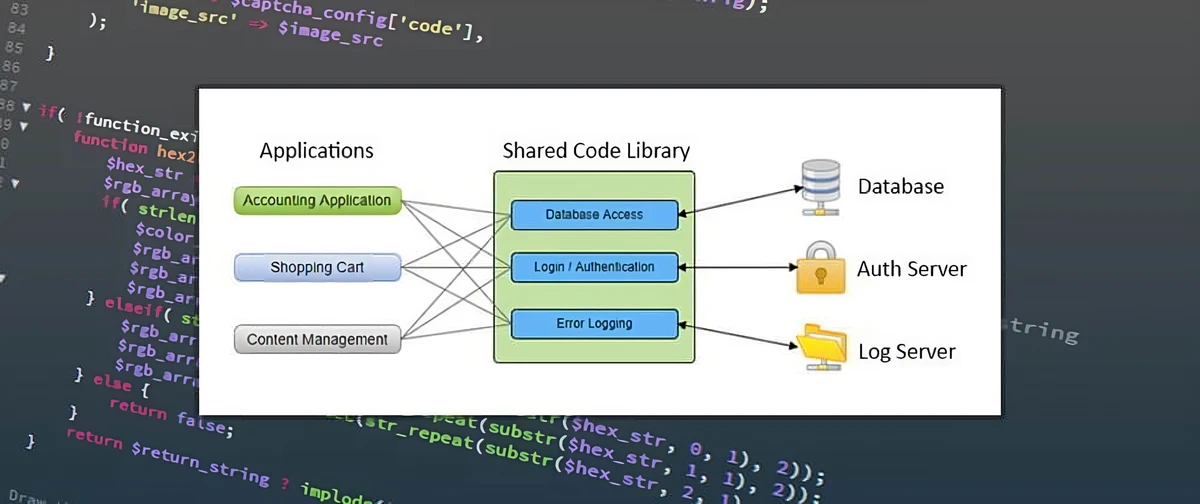
Don't Repeat Yourself (DRY). If you find yourself writing the same logic multiple times, refactor it into a function. This keeps the codebase smaller and easier to maintain.
But don't overdo it. Sometimes being too DRY makes code less readable. Find a balance.
3. TypeScript: Your Safety Net

If you’re still using vanilla JavaScript in large projects, it's time to switch. TypeScript forces you to define what's going on. It may seem tedious, but once you've experienced the safety of type checks, you won't go back.
Write type-safe functions. Use enums and interfaces. Embrace strictness. Debugging errors at compile time is much easier than chasing runtime issues.
4. Husky for Pre-Commit Hooks
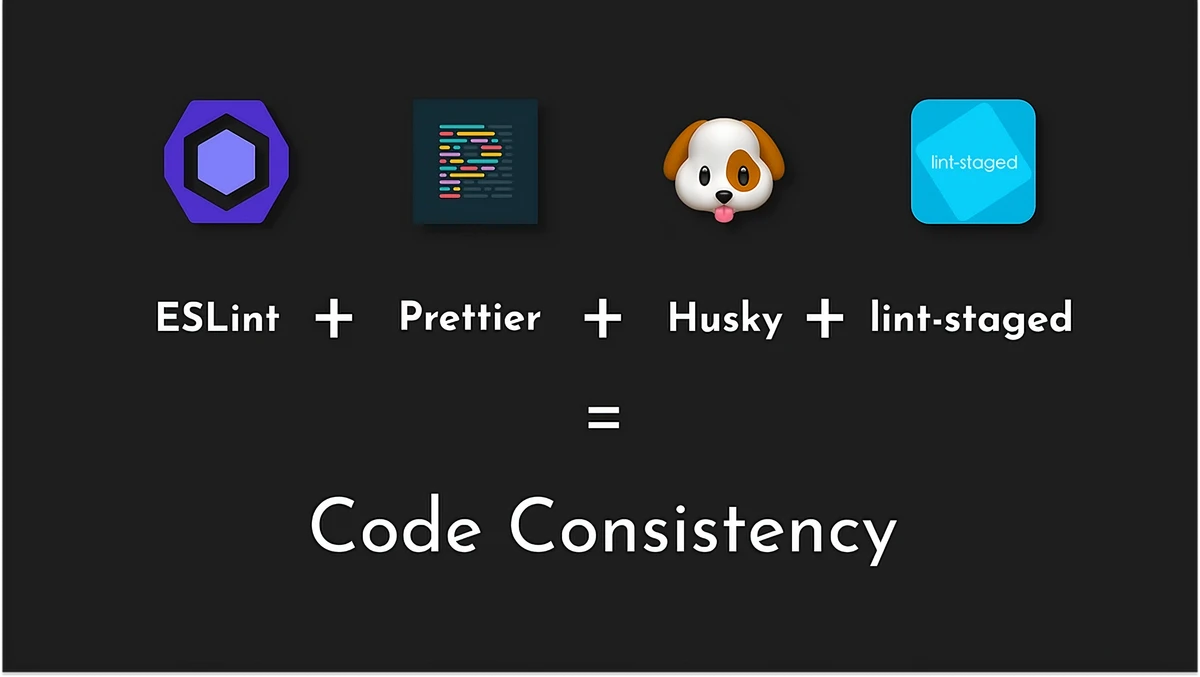
Pre-commit hooks can be life-changing. Enter Husky. Husky lets you run checks before committing code—lint checks, formatting, running tests, etc. Automate these processes to keep your codebase solid.
5. Linting and Formatting: ESLint and Prettier

ESLint catches errors and enforces code styles. Prettier keeps your code formatted consistently. Use them both, and add them to your pre-commit hooks with Husky. Set it and forget it.
6. Componentize and Modularize

In frameworks like React, Angular, or Vue, componentization is key. Components should be small and single-purpose. Reusable components lead to a modular codebase that’s easier to maintain and debug.
Atomic Design: Break components into atoms, molecules, organisms, etc. This makes managing UI elements easier and promotes reusability.
Hooks and Services: In React, use custom hooks for logic separation. For Angular, move logic to services. This helps keep components clean and focused on presentation.
7. State Management: Keep It Predictable
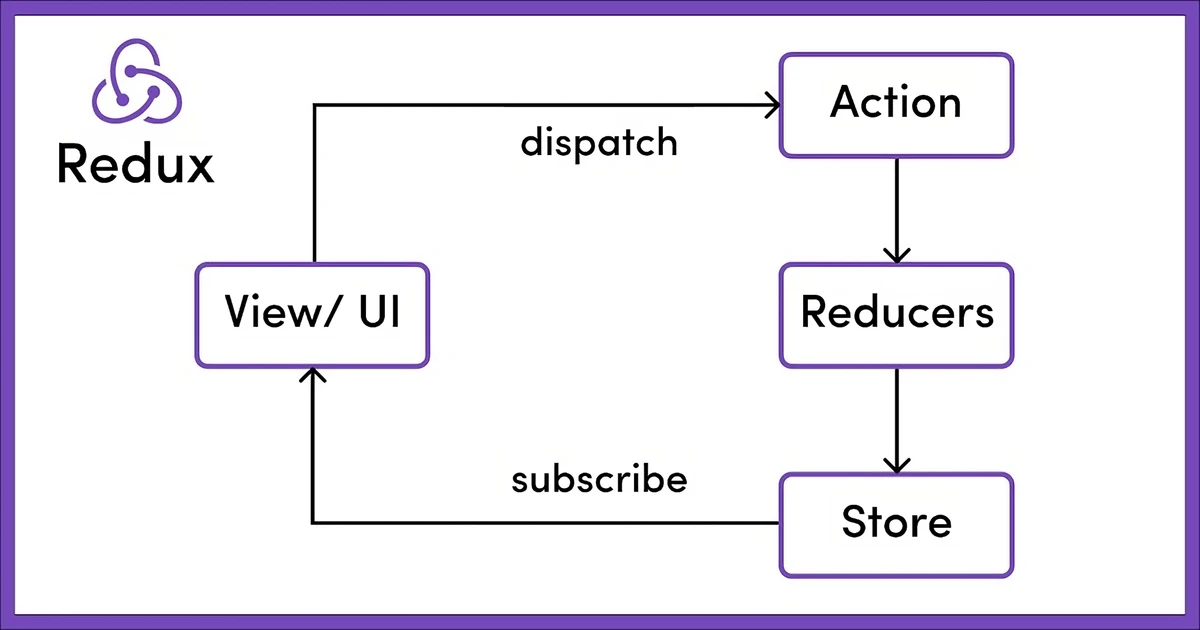
Managing state can get messy. Keep state close to where it's used, and only elevate it to a global store if multiple components need access. For larger applications, managing state effectively is crucial to keep your app maintainable.
Component State vs. Global State: Use local component state where possible. Elevate state to a global store only when
necessary to avoid unnecessary complexity.
8. Single Responsibility Principle
Each function or component should do one thing and do it well. If your function handles fetching, transforming, and displaying data, split it up.
Keep your React components focused on UI. Let logic stay in services or custom hooks. This ensures easier refactoring later.
9. Avoid Deep Nesting
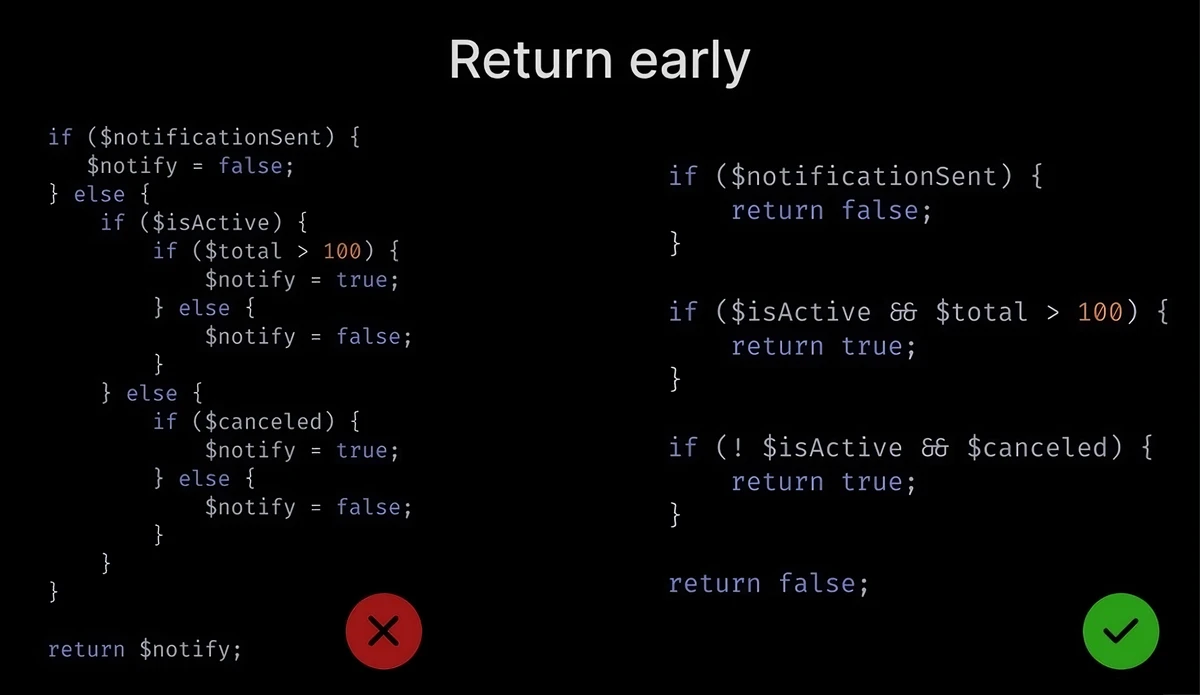
If you find yourself nesting code blocks deeply, refactor. Deep nesting is hard to read and debug. Use async/await to deal with promises—they flatten your code and make it more readable.
Conditional Rendering: In React, use techniques like early returns to avoid deep nested if statements.
Composition over Nesting: Break down large components into smaller ones and use composition to make them easier to understand.
10. CSS Best Practices
Modular CSS is crucial in frontend projects to avoid conflicts and make styling maintainable:
CSS Modules or Tailwind CSS: Prefer CSS Modules for scoped styles or Tailwind CSS for utility-first styling. Tailwind keeps your styling consistent without deeply nested CSS.
BEM Naming Convention: If writing regular CSS, use BEM (Block Element Modifier) for clear and structured naming.
CSS-in-JS: If your project uses it, ensure styles are colocated and only apply where needed.
UI/UX: If your project uses it, ensure designs are aligned with user-centered principles and only apply where needed, enhancing usability and consistency across the application.
11. Test Your Code
Clean code is also testable. Write unit tests, integration tests, and component tests. If you find your code hard to test, it likely needs refactoring. Testing is a great indicator of code quality.
Use tools like Jest, Cypress, and React Testing Library to make sure your clean code stays clean.
Snapshot Testing: For UI components, use snapshot testing to ensure nothing breaks visually.
End-to-End Testing: Use Cypress to simulate real user interactions for critical workflows.

12. Accessibility Matters
Accessibility (a11y) should be part of clean code. Ensuring your app is usable by everyone makes your code more robust and inclusive.
ARIA Roles: Use ARIA roles where needed to ensure elements are accessible to screen readers.
Keyboard Navigation: Make sure all interactive components are accessible via keyboard.
Lighthouse Audits: Use tools like Lighthouse to audit accessibility scores and improve weak spots.
13. Keep It Simple (KISS)
Frontend is complex, but don't over-engineer. Keep It Simple, Stupid (KISS). Avoid unnecessary abstractions. Use frameworks and libraries to make things easier, not more complicated.
14. Performance Optimization
Optimising your frontend is essential for clean and performant user experiences:
Lazy Loading: Load components or images only when they are needed.
Code Splitting: Split your bundles using tools like Webpack or Vite to ensure faster load times.
Debounce and Throttle: Optimise events like scrolling or resizing using debounce and throttle to prevent performance bottlenecks.
Closing Thoughts
Clean code in frontend development is not just a practice; it’s a way of life. It helps you ship faster, sleep better, and keep your team sane. Clean code doesn't happen by accident—you have to work at it every day. Name your variables clearly, embrace TypeScript, use Husky hooks, keep functions simple, and write your code like it’s going to be read by a grumpy developer on their worst day.

That's all for today. Go write some clean, maintainable code.