
Best UI/UX Design Tools in 2026: A Complete Guide From Basics to Advanced Workflows
Best UI/UX Design Tools in 2026: A Complete Guide From Basics to Advanced Workflows
By Aakash Kumar · · 9 min read
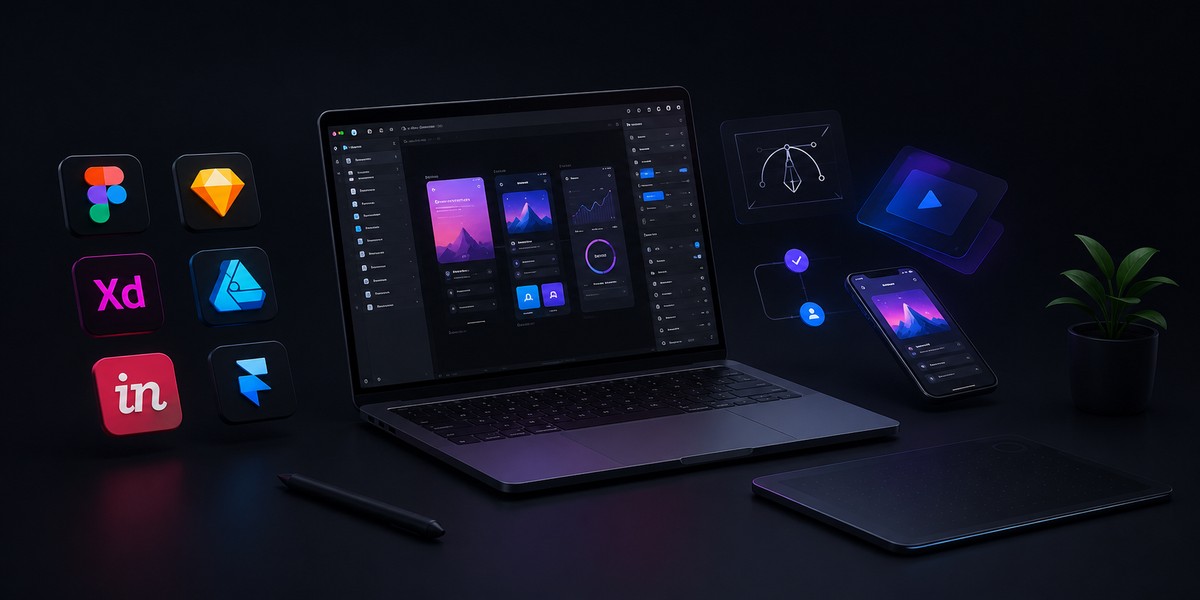
Priya joined a mid sized product team in Pune as a junior UI designer three years ago. On her first day, her lead handed her a laptop and said one sentence that stuck with her: "The tool does not make you a good designer, but the wrong tool will absolutely slow down a good one."
She spent her first year learning Figma the hard way, through trial, error, and a few embarrassing handoffs to developers that broke on production. Today she leads design at a fast growing fintech startup, and her toolkit looks nothing like it did back then. AI assisted prototyping, real time collaboration, and design systems that update themselves have become normal parts of her day. If you had told her in 2022 that a tool could generate a working prototype from a text prompt, she would have laughed.
That is where design tooling stands in 2026. This guide walks through the tools actually worth your time this year, why the landscape shifted so quickly, and how to build a stack that fits your team rather than just following whatever tool is trending on social media.
Why UI UX Design Tools Matter More Than Ever
A design tool is not just software you click around in. It is the environment where ideas turn into something a developer can actually build, where a stakeholder can finally see what you meant instead of imagining it from a slide deck, and where an entire product team stays aligned without endless meetings.
Choosing the wrong tool creates friction at every one of those steps. Choosing the right one removes friction so completely that people forget the tool exists at all, which is exactly the point. The best UI UX design tools in 2026 share three qualities: they are fast to learn, they collaborate in real time, and increasingly, they use AI to remove the repetitive parts of design work so humans can focus on judgment and taste.
This matters for businesses too, not just individual designers. At TechTose, our own UI UX Design practice has watched this shift firsthand while building products for clients across fintech, healthcare, and SaaS, and the tools a team chooses genuinely shape how fast a product reaches market.
The Foundation: Understanding UI Design vs UX Design Tools
Before comparing specific platforms, it helps to separate what these tools are actually solving for, since the terms UI and UX get used interchangeably even though they solve different problems.
UI design tools focus on the visual layer, the colors, typography, spacing, buttons, and every pixel a user actually sees on screen. UX design tools focus on the experience layer underneath that visual surface, meaning user flows, wireframes, information architecture, and how a person actually moves through a product to accomplish a task.
In practice, most modern platforms blend both. Figma, for example, handles high fidelity visual design and rough wireframing in the same file. But some tools still specialize, and understanding that difference will help you pick the right one for a specific stage of your project rather than trying to force one tool to do everything.
Best UI UX Design Tools in 2026: The Full Breakdown
1. Figma
Figma remains the tool most design teams default to in 2026, and for good reason. It is fully cloud based, meaning multiple people can edit the same file simultaneously without version conflicts, comment directly on designs, and hand off finished work to developers through Dev Mode, which now generates usable code snippets and design tokens directly from the file.
What has changed most in the last year is Figma's AI layer. Its Make feature, once treated skeptically as a gimmick, has matured into a genuinely useful way to generate first draft layouts, variations, and content fills, letting designers start from something rather than a blank canvas. Figma's variables system also finally makes design tokens feel native rather than something bolted on through plugins, so a single color or spacing value can update consistently across an entire design system.
Best for: teams of any size who want one platform covering wireframes through developer handoff, especially remote and distributed teams.
2. Framer
Framer has grown from a prototyping tool into something closer to a full design to publish platform. It handles interactive prototypes with advanced animation control, and its standout feature is that a finished design can be published as a live, functioning website without a separate development handoff at all.
Best for: teams and freelancers who want to move from prototype to a real, published site quickly without needing a full engineering build for simpler projects.
3. Penpot
Penpot is the open source alternative that has quietly become production ready in 2026. Its component model now closely matches what designers expect from commercial tools, and because it renders designs natively in SVG, there is no lossy translation layer between design files and actual web code.
Its standout advantage is that it can be self hosted, which matters enormously for teams working with regulated data, government contracts, or any environment where sending design files to a third party server is not an option. The tradeoff is a smaller plugin ecosystem and a design system toolset that, while functional, still lacks some of the polish of Figma's variables.
Best for: teams that need full control over where their data lives, or organizations avoiding vendor lock in.
4. Sketch
Sketch remains a trusted, mature option for macOS based teams, and its decade plus track record means an enormous ecosystem of plugins and integrations has built up around it. While it has lost ground to browser based tools in terms of real time collaboration, teams already invested in a Mac only workflow still find it dependable for high fidelity UI work.
Best for: established Mac based design teams with existing Sketch libraries and workflows.
5. ProtoPie
ProtoPie focuses specifically on advanced interaction and motion design, letting designers simulate exactly how a product behaves before a single line of production code is written. This goes well beyond simple click through prototypes, allowing sensor based interactions, conditional logic, and realistic motion that basic prototyping tools cannot replicate.
Best for: teams working on mobile apps, IoT products, or any interface where micro interactions and motion genuinely affect usability.
6. Uizard
Uizard has carved out a niche for non designers and early stage founders who need to turn a rough sketch or even a text prompt into a usable wireframe within minutes. It lowers the barrier to entry significantly, making it a practical starting point for teams without a dedicated designer yet.
Best for: founders, product managers, and non designers who need to communicate an idea visually before involving a design team.
7. Miro
Miro is not a UI design tool in the traditional sense, but it has become essential to the UX research and discovery phase. Teams use it to map user journeys, run remote workshops, organize research findings, and align stakeholders before any actual screen design begins.
Best for: UX researchers and product teams running discovery and journey mapping sessions, especially with distributed teams.
8. MockFlow
MockFlow specializes in fast, low fidelity wireframing using pre built UI packs, making it useful for the earliest planning stages of a project when speed matters more than visual polish.
Best for: early stage wireframing and information architecture planning before moving into higher fidelity tools.
9. Marvel
Marvel positions itself as an all in one option covering prototyping, usability testing, and fast client feedback loops in a single platform, which appeals to smaller teams or agencies who want fewer tools to manage rather than stitching several platforms together.
Best for: small teams and agencies that want prototyping and lightweight usability testing in one place.
10. Adobe XD
Adobe XD was once considered the natural competitor to Figma, and while its momentum has slowed as Adobe shifted focus elsewhere in its Creative Cloud suite, teams already embedded in the broader Adobe ecosystem, particularly those working closely with Photoshop and Illustrator assets, still find value in its integration with those tools.
Best for: teams heavily invested in the Adobe Creative Cloud ecosystem who want tighter asset integration.
How AI Has Quietly Rewritten the Design Toolkit
The single biggest shift in UI UX design tools over the last two years has not been a new platform. It has been AI embedding itself into the tools designers already use. This shows up in a few concrete ways worth understanding, because it changes how a team should actually work in 2026.
First, generation. Tools like Figma Make and Uizard can now take a rough prompt or sketch and produce a usable first draft layout, which does not replace a designer's judgment but does remove the blank canvas problem that used to eat up the first hour of any project.
Second, testing. AI powered synthetic user testing platforms can now simulate how real users might respond to a design before a single human tester is recruited, dramatically speeding up early validation cycles, though most experienced teams still treat this as a first filter rather than a replacement for real user research.
Third, systemization. AI is increasingly used to audit design systems for inconsistency, flagging when a button style or spacing value has quietly drifted from the established standard across a large product, something that used to require a tedious manual review.
This connects closely to broader shifts we have tracked at TechTose across the AI landscape, including how AI models are actually trained and the practical question of fine tuning versus prompt engineering, both of which shape how confidently a team can lean on AI generated design output versus treating it as a rough starting point.
Building Your Own Toolkit: A Practical Framework
Rather than adopting every tool on this list, the smarter approach is matching tools to the actual stage of your design process.
During discovery and research, a whiteboard style tool like Miro helps map user journeys and align stakeholders before any screens exist. During wireframing, a fast, low fidelity tool like MockFlow or Uizard lets you iterate on structure without wasting time on visual polish too early. During high fidelity design and prototyping, Figma or Framer typically becomes the daily driver for most teams, covering visual design, component systems, and developer handoff in one place. For advanced interaction work, particularly on mobile or hardware connected products, a specialist tool like ProtoPie fills a gap general purpose tools cannot cover well.
A small team does not need all five categories covered by five different subscriptions. Many startups run their entire process inside Figma alone, using FigJam for the whiteboarding stage and the main Figma app for everything downstream, which keeps the toolkit simple while still covering the full workflow.
This kind of research first thinking mirrors what we cover in our guide on UX research methods every designer should know, which pairs well with this toolkit framework since the right tool only matters once the underlying research question is clear.
What This Means for Businesses, Not Just Designers
If you are a founder or product lead rather than a hands on designer, the tool your team chooses still affects you directly. It affects how quickly your team can test an idea before committing engineering resources, how smoothly design handoffs turn into working code without translation errors, and how consistent your product feels as more designers join the team over time.
This is exactly why toolkit decisions belong in the same conversation as broader product strategy, not left purely to individual designer preference. Teams building serious digital products often benefit from pairing strong design tooling with a development partner who understands both sides of that handoff, which is the exact gap TechTose's UI UX Design and Software Development teams work together to close for clients. If you are earlier in the process and still validating an idea, our guide on MVP development for startups walks through how design and engineering timelines should overlap.
Looking Ahead: Where Design Tools Go From Here
The pattern across every tool on this list points in one direction. AI is not replacing designers, but it is absorbing the repetitive, mechanical parts of the job, freeing up time for the parts that actually require human judgment: taste, empathy, and understanding what a real user needs versus what looks good in a mockup.
Priya, the designer we opened with, put it simply when asked how her job has changed. She said she spends far less time pushing pixels into place and far more time deciding whether the pixels are even solving the right problem. That shift, from mechanical execution to strategic judgment, is the real story behind every tool covered in this guide.
If your team is evaluating how design tooling fits into a larger product build, or you simply want a second opinion on your current stack, TechTose is happy to talk it through. You can schedule a call with our team anytime.